Entering the software development landscape often brings a flood of new terminology. Among the most intimidating acronyms is UML. Many junior developers encounter this during design meetings or architecture reviews and feel a sudden drop in confidence. You might wonder if you need to learn it to be a good coder or if it is just paperwork for management.
Unified Modeling Language is not a programming language. It is a visual language used to specify, construct, and document the artifacts of a software system. This guide addresses the most common inquiries from developers starting their journey. We will strip away the jargon and focus on practical application.
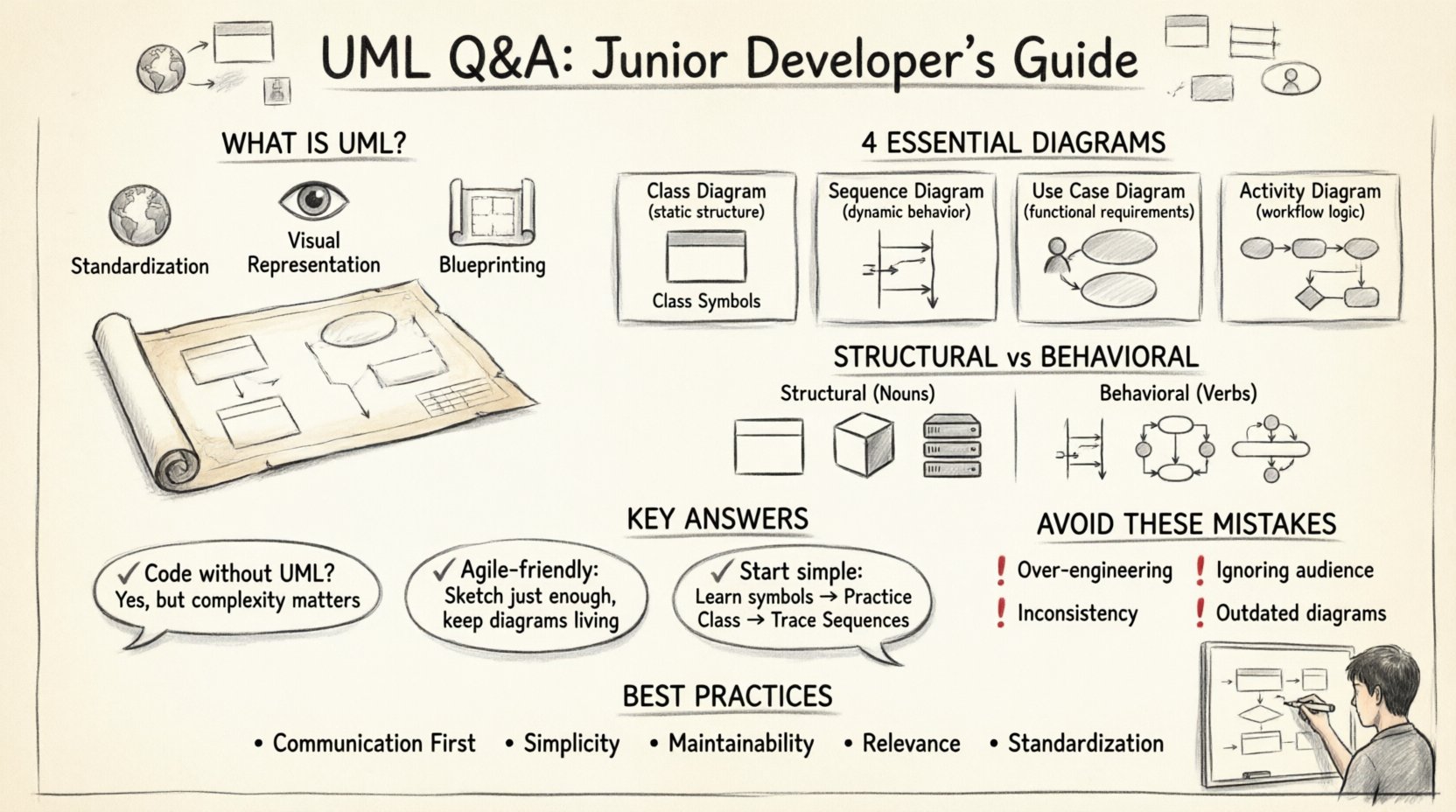
🤔 What is UML Really?
At its core, UML is a set of standard notations. Think of it like a map. If you are traveling to a new city, you do not need to memorize every street name. You need a map that shows major roads, landmarks, and directions. UML serves the same purpose for software systems.
- Standardization: It provides a common language for developers, architects, and stakeholders.
- Visual Representation: It translates abstract logic into diagrams that are easier to comprehend at a glance.
- Blueprinting: It allows teams to design the structure before writing code, reducing costly errors later.
There is no requirement to learn every single diagram type. Most projects rely heavily on a subset of the available notations.
🛠️ Which Diagrams Should I Focus On?
There are fourteen different types of diagrams in the UML specification. Attempting to learn all of them immediately is unnecessary. For day-to-day development, three categories cover the vast majority of use cases.
Below is a breakdown of the essential diagrams you will encounter.
| Diagram Type | Primary Focus | Best Used For |
|---|---|---|
| Class Diagram | Static Structure | Object-oriented design, database schemas, class relationships |
| Sequence Diagram | Dynamic Behavior | API flows, user interactions, method call order |
| Use Case Diagram | Functional Requirements | User goals, system boundaries, actor interactions |
| Activity Diagram | Workflow Logic | Business processes, complex algorithm flows |
❓ Q1: Do I Need to Know UML to Code?
Many developers ask if they can skip UML and jump straight to implementation. The short answer is yes, you can write code without drawing diagrams. However, the complexity of the system determines the value of UML.
- Small Projects: A simple script or a basic CRUD application might not require formal diagrams. Brainstorming on a whiteboard often suffices.
- Large Systems: When multiple teams work on the same codebase, documentation becomes critical. UML provides the contract that ensures Team A understands what Team B built.
- Legacy Code: When inheriting a system without documentation, reverse-engineering UML class diagrams helps you understand the existing architecture.
The skill is not just drawing; it is thinking about relationships and data flow before typing a single line of syntax.
❓ Q2: What is the Difference Between Structural and Behavioral Diagrams?
UML diagrams fall into two main categories. Understanding this distinction helps you choose the right tool for the problem at hand.
1. Structural Diagrams
These show the static parts of the system. They describe the nouns. What objects exist? How are they related? Who owns what data?
- Class Diagram: The most common structural diagram. It shows classes, attributes, methods, and inheritance.
- Component Diagram: Shows how high-level modules interact.
- Deployment Diagram: Illustrates the physical hardware and network topology.
2. Behavioral Diagrams
These show the dynamic parts of the system. They describe the verbs. How does the system react to events? What happens when a user clicks a button?
- Sequence Diagram: Shows time-based interactions between objects.
- Activity Diagram: Similar to a flowchart, showing the flow of control.
- State Machine Diagram: Describes how an object changes state based on events.
❓ Q3: How Do I Draw a Class Diagram?
Class diagrams are the backbone of object-oriented design. They define the skeleton of your application. When creating one, follow these guidelines.
- Identify Classes: Look for nouns in your requirements. If you have an order, a customer, and a product, these are likely your classes.
- Define Attributes: List the data each class holds. Keep this private where possible to maintain encapsulation.
- Define Methods: List the behaviors. What actions can a class perform?
- Establish Relationships: Connect the classes using standard lines.
Common Relationships to Know:
- Association: A generic link between two classes (e.g., a Student enrolls in a Course).
- Inheritance: A “is-a” relationship (e.g., a Dog is an Animal).
- Aggregation: A “has-a” relationship where parts can exist independently (e.g., a Department has Professors).
- Composition: A strong “has-a” relationship where parts cannot exist without the whole (e.g., a House has Rooms).
❓ Q4: When Should I Use a Sequence Diagram?
Sequence diagrams are excellent for debugging logic flows. They visualize the interaction between objects over time. Imagine a conversation where each line of dialogue is a message.
Here is a typical workflow for using this diagram:
- Identify Actors: Who starts the process? (e.g., User, External API).
- Identify Objects: Which internal classes handle the request? (e.g., Controller, Service, Repository).
- Draw Lifelines: Vertical dashed lines represent the lifespan of each object.
- Add Messages: Horizontal arrows show method calls between objects.
- Show Returns: Dashed arrows indicate the return value or response.
This is particularly useful for understanding API integrations. If a request hits the server, which service calls the database, and how does the error get handled back to the client? A sequence diagram makes this path clear.
❓ Q5: Is UML Too Much Work for Agile Teams?
Agile methodologies emphasize working software over comprehensive documentation. This creates tension with UML. However, they are not mutually exclusive.
- Just Enough Design: Do not draw the entire system before coding. Create diagrams for specific features or complex modules.
- Living Documents: If the diagram does not match the code, the diagram is wrong. Update the UML as the code evolves.
- Sketching: Sometimes a quick sketch on a whiteboard is better than a formal diagram. The goal is communication, not perfection.
The goal is to reduce cognitive load for the team, not increase it. If drawing a diagram slows down development without providing clarity, skip it.
❓ Q6: How Do I Handle Complexity?
As systems grow, diagrams become messy. A single class diagram for a massive enterprise application can fill a wall. Here is how to manage that complexity.
- Package Diagrams: Group classes into packages. Show the relationship between packages rather than every individual class.
- Focus on Interfaces: Focus on the public API of a component rather than its internal implementation details.
- Subsystems: Break the system into logical subsystems. Create separate diagrams for each subsystem.
Never force a single diagram to show everything. Hierarchy and modularity apply to diagrams just as they do to code.
❓ Q7: What Are Common Mistakes Junior Developers Make?
Observing junior developers, several patterns emerge when they first attempt UML. Being aware of these pitfalls can save you time.
1. Over-Engineering
Creating diagrams for every single variable or method. This creates noise. Focus on the high-level architecture and critical data flows.
2. Ignoring the Audience
Using detailed technical notation for business stakeholders. Keep it high-level. Use Use Case diagrams for business users and Class diagrams for engineers.
3. Inconsistency
Changing symbols or notation styles within the same document. Adhere strictly to the standard symbols to avoid confusion.
4. Outdated Diagrams
Creating a diagram and never touching it again. If the code changes and the diagram does not, the diagram is misleading. Treat it as living documentation.
❓ Q8: How Does UML Help with Database Design?
There is a strong correlation between Class Diagrams and Database Schemas. In object-relational mapping (ORM), the structure of your classes often mirrors the tables in your database.
- Primary Keys: Represented as attributes marked as keys in the class.
- Foreign Keys: Represented as associations between classes.
- Relationships: One-to-one, one-to-many, and many-to-many relationships are visually represented in the diagram.
Designing the class structure first often leads to a more normalized database schema. It forces you to think about data integrity before writing SQL.
❓ Q9: Can I Use UML for Non-Software Systems?
While primarily designed for software, the principles apply elsewhere. Business process modeling often uses Activity Diagrams. System engineering uses Deployment Diagrams to map hardware. The core value is abstraction and visualization.
It helps in breaking down complex problems into manageable parts. If you can model it, you can understand it.
❓ Q10: Where Do I Start Learning?
You do not need a degree to understand UML. Start with the basics.
- Learn the Symbols: Understand what the diamond, arrow, and line mean in relationships.
- Practice Class Diagrams: Take a simple app you know and draw its structure.
- Study Sequence Diagrams: Trace the flow of a login request.
- Use Generic Tools: Use any available diagramming tool. The tool does not matter; the notation does.
Consistency is key. Draw one diagram a week. Over time, the notation becomes second nature.
🔗 Summary of Best Practices
To wrap up this guide, here are the core principles to keep in mind when working with UML.
- Communication First: Draw for people, not for machines.
- Simplicity: A simple diagram is better than a complex one.
- Maintainability: Update diagrams when the system changes.
- Relevance: Only draw what is necessary for the current task.
- Standardization: Follow the standard notation rules.
UML is a tool in your arsenal. It is not a mandate. Use it when it adds value to the team. When it becomes a burden, set it aside. The goal of development is to build reliable software, and UML is simply one path to achieve that.
By understanding the diagrams and their purpose, you move from writing code to designing systems. This shift in perspective is what distinguishes a junior developer from a senior engineer. Focus on the logic, the relationships, and the flow. The diagrams will follow naturally.