

Introduction to the Next Generation of System Design
The landscape of software architecture and requirements engineering witnessed a paradigm shift with the release of the AI-Powered Use Case Modeling Studio in January 2026. This integrated environment was specifically engineered to address the perennial disconnect between abstract business goals and concrete technical implementations. By transforming textual goals into structured technical artifacts, the studio automates and accelerates the system design lifecycle.
This guide explores the internal mechanics of the studio, the methodologies it employs, and practical scenarios where it bridges the gap between stakeholders and developers.
Core Methodologies: How the Studio Works
The AI-Powered Use Case Modeling Studio is not merely a drawing tool; it is a logic engine that integrates several established software engineering methodologies. These methodologies are enhanced by AI automation to ensure precision and speed.
1. UML-Based Modeling Standards
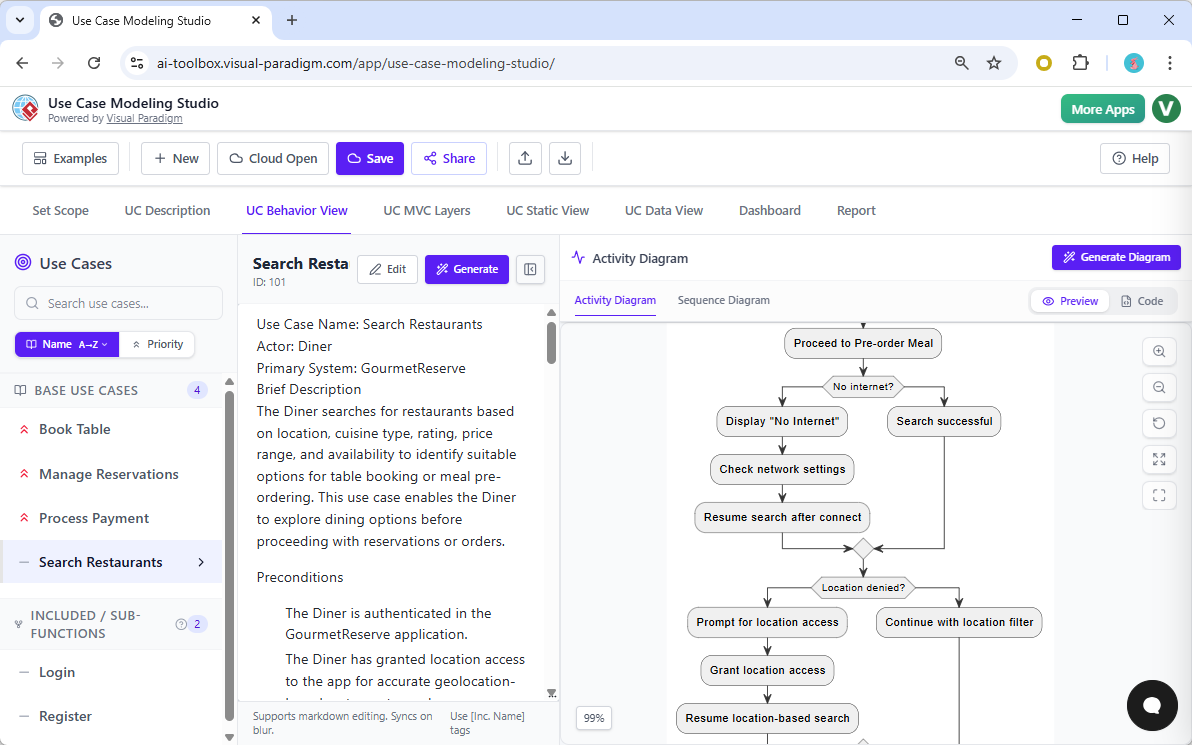
At its core, the tool adheres to the Unified Modeling Language (UML) standards. It moves beyond simple sketching by automatically generating complex diagrams based on input text. The system handles:
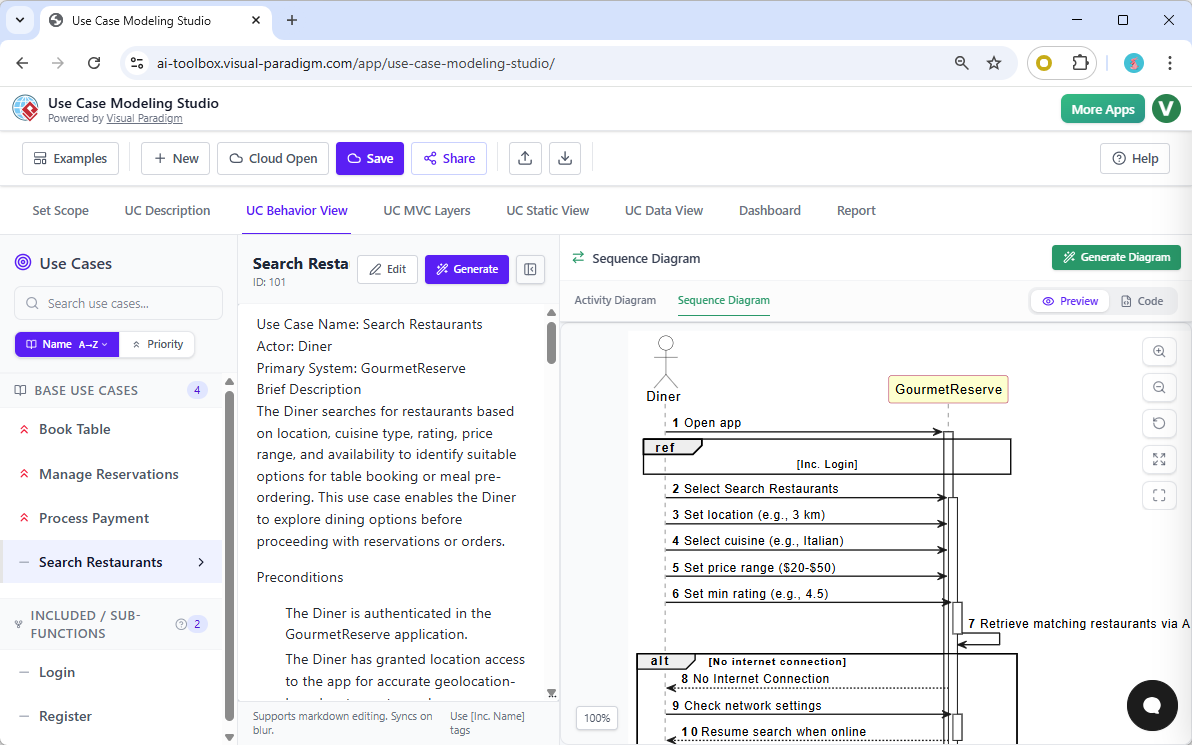
- Behavioral Models: Creating Activity and Sequence diagrams that map out user interactions over time.
- Structural Models: Generating Class diagrams that define the data structure and relationships.
- Use Case Diagrams: Visualizing the actors and their interactions with the system boundaries.
2. Goal-Based and Top-Down Requirements Engineering
The workflow utilizes a top-down approach. It begins with a high-level goal statement which the AI processes to create a comprehensive Scope Statement. This statement acts as the “single source of truth.” All subsequent diagrams, specifications, and logic flows are derived directly from this source, ensuring that the project never drifts from its original intent.
3. Automated Model-View-Controller (MVC) Mapping
To assist developers, the studio performs architectural mapping. It translates functional use cases into the standard MVC layers, providing a clear roadmap for implementation:
| Layer | Function | Studio Output |
|---|---|---|
| Model | Data & Entities | Identifies database schemas and entity relationships. |
| View | User Interface | Outlines UI screens and user interaction points. |
| Controller | Logic Handling | Defines the business logic processing data between View and Model. |
4. “Shift-Left” Quality Assurance
One of the most significant advantages of the studio is its support for the “Shift-Left” methodology. This approach enables Quality Assurance (QA) teams to engage earlier in the software lifecycle. As requirements are gathered, the studio automatically generates test plans and test cases. This ensures that testing criteria are defined simultaneously with feature definitions, drastically reducing bugs during development.
5. Integrated Consistency Management
Complex projects often suffer from desynchronized documentation. The studio employs a Consistency Engine to mitigate this. If a user updates a textual requirement, the engine automatically propagates this change across all visual models, test cases, and specifications. This synchronization ensures that the textual requirements and visual diagrams remain perfectly aligned throughout the project lifecycle.
Usage Scenarios: Solving Key Industry Problems
The studio addresses specific pain points faced by business analysts, system architects, and development teams.
Eliminating the “Blank Page” Problem
Starting a specification document from scratch is often the most time-consuming part of a project. Analysts can now bypass days of manual drafting. By inputting a simple goal statement, the AI generates a finished draft of multi-section specifications, providing a robust foundation for further refinement.
Bridging Business-Technical Gaps
The tool acts as a translation layer. It converts natural language business ideas into structured technical blueprints. This ensures that every resulting diagram is directly traceable back to a specific business requirement, reducing the risk of “scope creep” or misinterpretation.
Technical Accuracy and Refinement
Using the “Refine with AI“ feature, designers can elevate the technical accuracy of their plans. The AI detects complex logical necessities and automatically inserts advanced UML relationships, such as <<include>> and <<extend>>, to ensure the architectural logic holds up under scrutiny.
Automated Professional Reporting
Stakeholder communication is streamlined through automated reporting. With a single click, the studio assembles the scope, visual models, and test plans into a comprehensive Software Design Document (SDD), available in PDF or Markdown formats.
Practical Application: The GourmetReserve Case Study
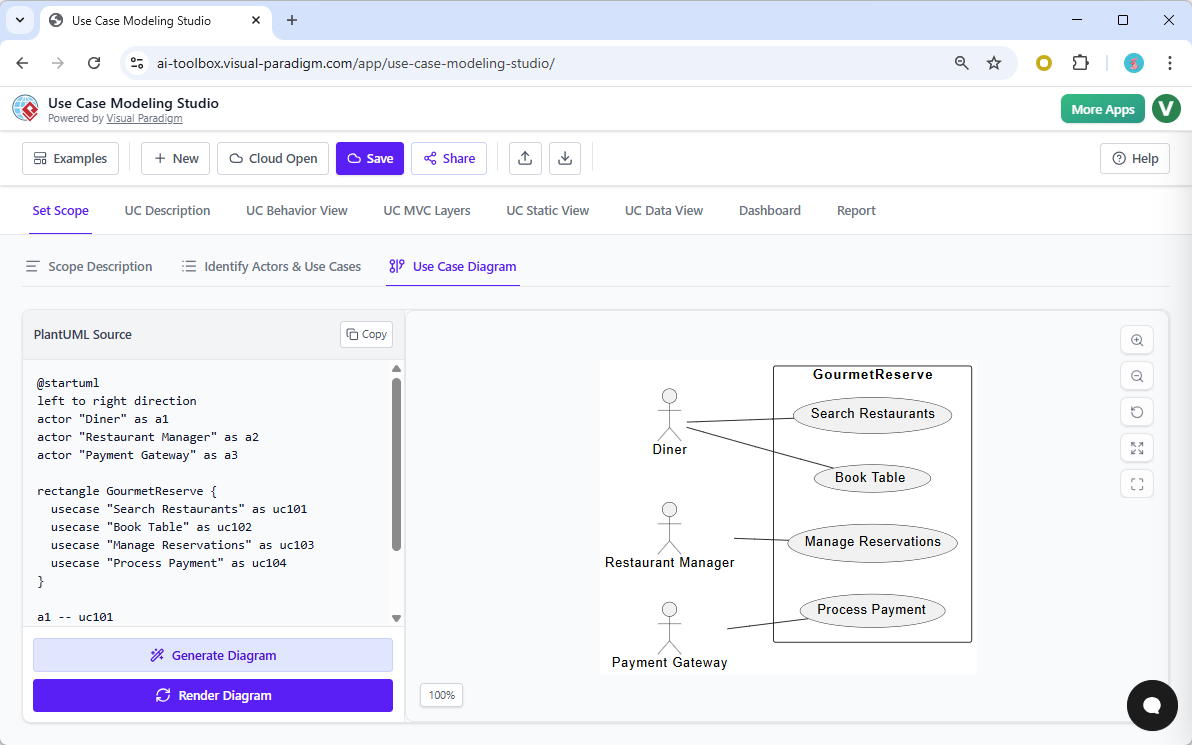
To understand the studio’s capabilities, consider the example of GourmetReserve, a mobile application designed for restaurant table booking and meal pre-ordering. The sources highlight how the studio handled this project:
- Actor Identification: The AI correctly identified primary and secondary actors, including the Diner, Restaurant Manager, Kitchen Staff, and the Payment Gateway.
- Use Case Generation: Based on the high-level goal, the tool generated detailed use cases such as “Search Restaurants,” “Book Table,” “Pre-Order Meal,” and “View Reservation History.”
- Sequence Diagrams: For the “Book Table” flow, the AI analyzed the text to generate a visual mapping of the chronological interactions between the Diner and the external Payment Gateway.
- Exception Handling: In the “Pre-Order Meal” test case, the AI identified exception flows—such as “Payment Declined” or “User Cancels”—and automatically generated test scenarios with specific steps and expected results.
Analogy: The Bilingual Project Mediator
A helpful way to conceptualize the AI-Powered Use Case Modeling Studio is to view it as a bilingual project mediator.
In software development, business stakeholders speak the “language of goals,” while developers speak the “language of blueprints.” The AI acts as a real-time translator. However, instead of simply repeating words, it simultaneously draws the maps, floor plans, and instruction manuals required for construction. This ensures that regardless of the language spoken, everyone involved in the project is building the exact same house.