
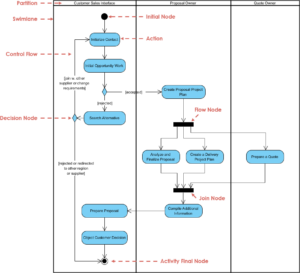
Unified Modeling Language, often abbreviated as UML, serves as the standard blueprint for software development. It provides a visual language to describe, specify, construct, and document the artifacts of a software system. However, the gap between understanding the syntax and applying it effectively is often bridged by significant errors. These mistakes can lead to confusion among developers, stakeholders, and architects, ultimately derailing project timelines and quality.
Many individuals approach UML with the assumption that it is merely a drawing exercise. In reality, it is a rigorous method of communication. When learners fail to grasp the semantic weight of each symbol, the resulting diagrams become decorative rather than functional. This guide examines the frequent pitfalls encountered during the learning process and provides actionable strategies to correct them. By understanding these errors, you can build models that are clear, accurate, and valuable to the entire development lifecycle.
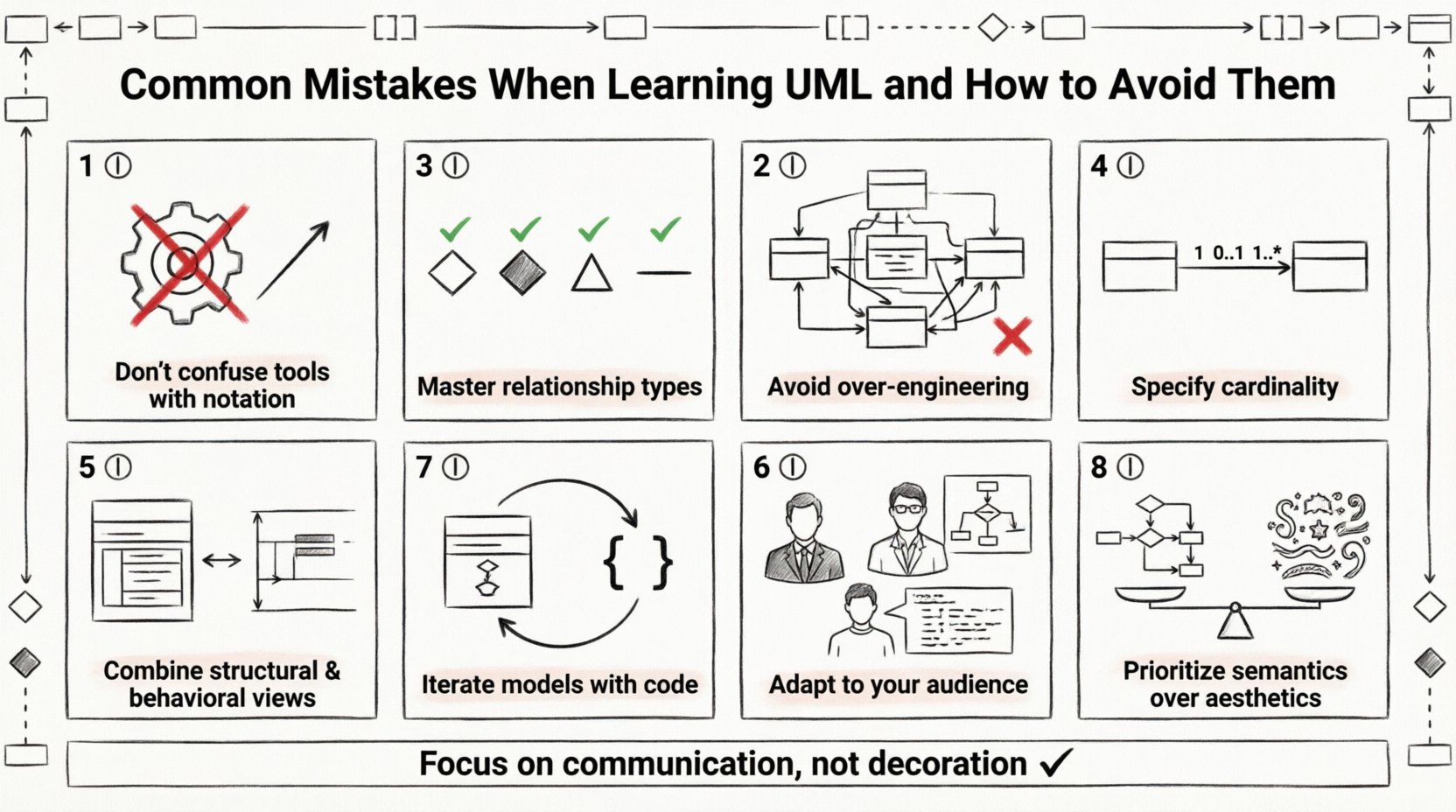
1️⃣ Confusing Notation with Software Tools 🖥
One of the most pervasive errors involves conflating the language itself with the software used to create it. UML is a specification defined by the Object Management Group. It is independent of any specific application. Beginners often focus on the features of a specific diagramming tool, such as toolbar buttons or export formats, rather than the meaning of the arrows and boxes.
- The Mistake: Spending hours learning how to use a specific tool’s interface instead of learning what a dashed line signifies.
- The Impact: When switching tools or working in a collaborative environment, the model becomes obsolete or confusing if the underlying logic was never understood.
- The Solution: Treat software as a pen and paper. Focus on the rules of the language. Understand that a solid line with an arrowhead means inheritance, regardless of which program draws it.
To avoid this trap, study the official specifications or authoritative documentation on UML syntax. Do not rely solely on the „Help“ menu of your diagramming software. The tool is secondary; the model is the primary asset.
2️⃣ Over-Engineering the Design 🏗
There is a temptation to create a model that is too detailed too early. This is often referred to as „analysis paralysis.“ Learners often feel that a diagram is incomplete unless every single class, attribute, and method is visible. This approach creates noise rather than clarity.
- The Mistake: Creating a massive Class Diagram for a small module, including getters, setters, and private variables that are irrelevant to the high-level architecture.
- The Impact: Stakeholders cannot see the forest for the trees. The diagram becomes unreadable and difficult to maintain as the system evolves.
- The Solution: Adopt a layered approach. Start with a high-level context diagram. Only drill down into details when specific logic needs clarification. Use abstraction.
Remember that UML is a communication tool, not a code repository. If a developer needs to know the exact data type of a variable, they will look at the source code, not the diagram. The diagram should focus on structure, behavior, and relationships, not implementation details.
3️⃣ Misinterpreting Relationships 🕸️
The core of UML lies in how objects relate to one another. Beginners frequently mix up association, aggregation, composition, and inheritance. These relationships define the lifecycle and ownership of objects, and using the wrong one can lead to flawed architecture.
| Relationship Type | Semantic Meaning | Common Error |
|---|---|---|
| Association | A general link between objects | Using it when ownership is required |
| Aggregation | Whole-Part relationship (Part can exist independently) | Confusing it with Composition |
| Composition | Whole-Part relationship (Part cannot exist independently) | Using Aggregation when lifecycle is tied |
| Inheritance | Generalization (Is-A relationship) | Using it for „Has-A“ relationships |
When drawing a diagram, ask yourself: If I delete the whole, does the part cease to exist? If yes, use Composition. If no, use Aggregation. If you are describing a hierarchy of types, use Inheritance. If you are describing a general connection, use Association. This distinction is critical for designing robust systems.
4️⃣ Ignoring Multiplicity and Cardinality 🔢
Multiplicity defines how many instances of one class relate to one instance of another. It is often overlooked or guessed incorrectly. Learners might draw a line between two classes without specifying the numbers at the ends of the line.
- The Mistake: Leaving association ends blank or assuming a default value of one.
- The Impact: The database schema or code generation may be incorrect. A developer might assume a one-to-one relationship when it is actually one-to-many.
- The Solution: Always specify cardinality. Use
1for exactly one,0..1for optional,1..*for one or more, and0..*for zero or more.
Consider a library system. A Book can have zero or one Author. An Author can write many Books. If you omit these details, the logic for searching and retrieving data becomes ambiguous. Precision in multiplicity prevents logical errors in the final code implementation.
5️⃣ Skipping the Lifecycle Perspective ⏳
Static diagrams like Class Diagrams show structure, but they do not show time. A common error is assuming that a Class Diagram explains the flow of a system. If you need to describe behavior, you must use Behavioral diagrams like Sequence or State Machine diagrams.
- The Mistake: Relying solely on Class Diagrams to explain how a login process works.
- The Impact: Developers do not know the order of operations. They may instantiate an object before the required dependencies are ready.
- The Solution: Use Sequence Diagrams for interaction flows. Use State Machine Diagrams for objects with complex internal states.
A complete model requires both structural and behavioral views. The structure tells you what exists, and the behavior tells you what happens. Ignoring one side of this coin results in an incomplete understanding of the system.
6️⃣ Neglecting Audience Context 👥
UML is not a one-size-fits-all notation. A diagram meant for a business stakeholder is different from one meant for a lead architect. Beginners often create a single diagram and try to use it for everyone.
- The Mistake: Showing database schema details to a product manager, or hiding technical constraints from the development team.
- The Impact: Stakeholders get bored or confused by technical jargon. Developers get frustrated by a lack of necessary detail.
- The Solution: Tailor the level of abstraction. Use Use Case Diagrams for business requirements. Use Sequence Diagrams for technical flow. Use Class Diagrams for architecture.
Always identify who will read the diagram before you begin drawing. If the audience does not understand the terminology, simplify the model. If they need to implement it, add the necessary technical depth. Effective modeling is an act of empathy towards the reader.
7️⃣ Failing to Iterate the Model 🔄
Many learners treat the diagram as a one-time deliverable. They draw it, submit it, and move on. However, software development is iterative. Requirements change, and the code evolves. A static model quickly becomes a lie if not updated.
- The Mistake: Keeping the diagram on a separate island from the codebase.
- The Impact: The documentation becomes outdated immediately after the first sprint. It creates a false sense of security about the system’s state.
- The Solution: Treat the model as living documentation. Update the diagram whenever the code changes significantly. Alternatively, generate the code from the model to ensure consistency.
Consistency between the model and the code is the gold standard. If they diverge, neither can be trusted. Regular synchronization sessions should be part of the development workflow to maintain model integrity.
8️⃣ Prioritizing Aesthetics Over Semantics 🎨
It is tempting to make diagrams look pretty. Aligning boxes perfectly, choosing the best colors, and using fancy fonts. While a clean look is good, it should never come at the expense of meaning.
- The Mistake: Moving a class box to make the diagram symmetrical, even if it breaks the logical flow of the interaction.
- The Impact: The diagram becomes difficult to read logically. The connections cross over each other unnecessarily, creating visual clutter.
- The Solution: Prioritize logical flow over geometric perfection. Let the relationships dictate the layout, not the desire for symmetry.
Readability is the primary goal. If a line crosses another, try to route it differently. But do not distort the relationships to fit a grid. A slightly messy diagram that is logically sound is infinitely more useful than a perfect diagram that is confusing.
Final Thoughts on UML Proficiency 📝
Learning to model in UML is a journey of refining how you think about systems. It is not about drawing lines and boxes; it is about clarifying thoughts. By avoiding these common errors, you ensure that your diagrams serve their true purpose: communication.
Focus on the rules of the language rather than the tools. Keep your designs simple and relevant. Respect the semantic differences between relationships. Specify your multiplicities clearly. Always consider the lifecycle and the audience. Update your models as the system evolves. And prioritize clarity over decoration.
When you apply these principles, your modeling efforts will transition from a chore to a strategic advantage. You will create blueprints that developers respect and stakeholders understand. This foundation is essential for building reliable software systems in any context.