

Systems analysis relies heavily on visual communication to translate complex business requirements into structured technical specifications. When mapping processes, two primary modeling techniques dominate the landscape: activity diagrams and flowcharts. While they share visual similarities, the distinctions between them are critical for accurate system design. Confusing these two can lead to ambiguity in logic, misinterpretation of concurrency, and inefficient implementation strategies.
This guide provides a detailed examination of both methodologies. We explore their origins, structural elements, and appropriate use cases within the systems development lifecycle. By understanding the nuances, analysts can ensure that their documentation accurately reflects the behavior of the system without unnecessary complexity.
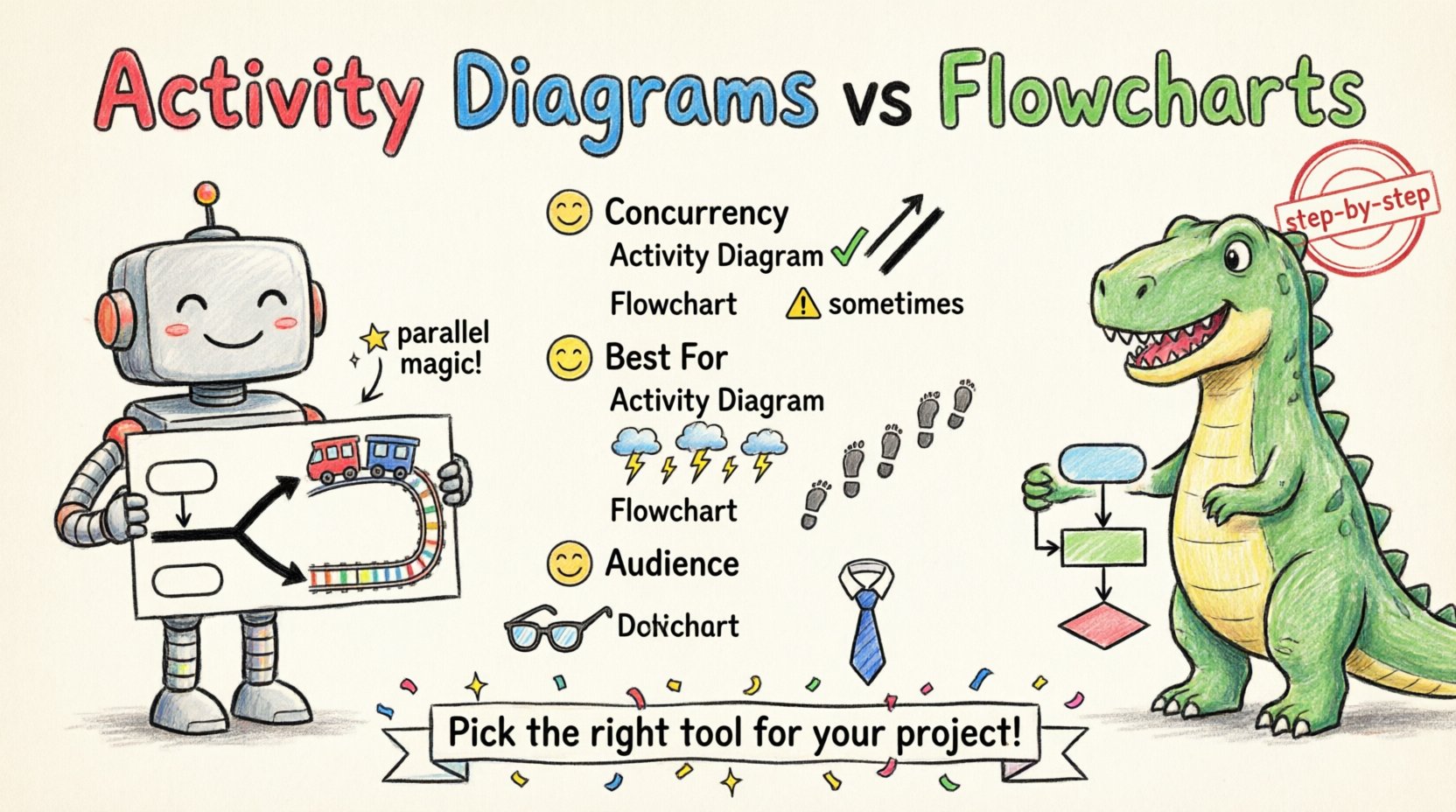
📊 Understanding Activity Diagrams
Activity diagrams are a component of the Unified Modeling Language (UML). They are designed to model the dynamic aspects of a system, focusing on the flow of control from activity to activity. Unlike simple process maps, activity diagrams can represent complex behaviors including concurrency, branching, and parallel processing.
- Origin: Developed as part of the UML standard to support object-oriented systems.
- Primary Focus: High-level behavior and workflow logic.
- Key Feature: Support for concurrent threads of execution.
Core Elements of an Activity Diagram
To construct a valid activity diagram, one must understand the specific notation used. Each symbol serves a distinct purpose in defining the flow.
- Initial Node: Represented by a filled circle. This marks the starting point of the activity.
- Activity Node: Represented by a rounded rectangle. These denote actions or states within the process.
- Control Flow: Solid arrows connecting nodes. They indicate the order of execution.
- Decision Node: A diamond shape. This is used for branching logic based on conditions.
- Fork and Join Nodes: Thick horizontal bars. These allow the diagram to split into parallel paths (fork) and merge them back together (join).
- Final Node: A filled circle inside another circle. This signifies the end of the process.
- Swimlanes: Vertical or horizontal partitions that organize activities by responsibility, such as specific departments or system components.
Concurrency and Parallelism
The most significant advantage of activity diagrams over traditional flowcharts is the ability to depict concurrency. In modern systems, multiple operations often happen simultaneously. For instance, when a user submits a form, the system might validate input, log the transaction, and send a notification email all at once. An activity diagram uses fork and join nodes to visually represent this parallelism clearly.
Without this capability, a model might incorrectly imply a sequential order, leading to performance bottlenecks during implementation. Analysts must use fork and join nodes to ensure the logical dependencies are respected while allowing independent threads to execute.
🛠️ Understanding Flowcharts
Flowcharts are a more traditional method of process modeling. They predate UML and are often associated with procedural programming and business process management. While less complex than UML activity diagrams, they are highly effective for linear processes and decision-making logic.
- Origin: Developed in the 1940s and standardized by ANSI and ISO.
- Primary Focus: Step-by-step logic and decision paths.
- Key Feature: Clear representation of sequential control flow.
Standard Symbols
Flowcharts rely on a well-established set of geometric shapes. This consistency makes them accessible to a broad audience, including non-technical stakeholders.
- Terminator: An oval shape indicating the start or end of the process.
- Process: A rectangle representing a specific action or calculation.
- Decision: A diamond shape used to ask a yes/no question or evaluate a condition.
- Input/Output: A parallelogram representing data entry or display.
- Connector: A small circle used to jump between different parts of the chart on the same page.
- Flow Line: An arrow showing the direction of the process flow.
Sequential Logic
Flowcharts excel at describing linear sequences. If the system operates primarily in a step-by-step manner where one action must complete before the next begins, a flowchart is often the most direct representation. They are particularly useful for documenting algorithms or simple business rules where concurrency is not a factor.
However, representing complex parallel processes in a standard flowchart requires the use of sub-processes or multiple charts, which can fragment the understanding of the overall system behavior. The lack of native support for parallel threads means analysts must rely on annotations to imply simultaneous actions.
📋 Key Differences: A Structured Comparison
To clarify the distinctions, we can compare the two methodologies across several dimensions. This table outlines the structural and functional differences relevant to systems analysis.
| Feature | Activity Diagram | Flowchart |
|---|---|---|
| Standard | UML (Unified Modeling Language) | ANSI / ISO Standards |
| Primary Purpose | Model system behavior and workflow | Document process logic and steps |
| Concurrency | Native support (Fork/Join) | Limited (Requires workarounds) |
| Swimlanes | Standard feature for responsibility | Optional or non-standard |
| Complexity | High (Supports nested behaviors) | Medium (Best for linear flows) |
| Target Audience | Developers and Technical Teams | Business Stakeholders and Analysts |
| Notation | Rounded rectangles, thick bars | Rectangles, diamonds, ovals |
🧩 When to Use Each Tool
Selecting the correct modeling technique depends on the specific goals of the analysis and the nature of the system being designed. Using the wrong tool can obscure critical information or introduce unnecessary confusion.
Scenarios for Activity Diagrams
Use activity diagrams when the system requires a deep understanding of state changes and parallel operations.
- Complex Workflows: When multiple steps occur simultaneously, such as in e-commerce order processing where payment and inventory checks happen in parallel.
- Object Lifecycle: When modeling the lifecycle of an object within the software, tracking how it moves between states.
- Interactions: When showing how different actors interact with the system across time.
- State-Driven Logic: When the outcome depends heavily on the current state of the system rather than just the previous step.
Scenarios for Flowcharts
Use flowcharts when clarity and simplicity are paramount, and the process is predominantly linear.
- Standard Operating Procedures: Documenting routine tasks for employees where the steps are fixed and sequential.
- Algorithm Design: Planning the logic of a specific function before writing code.
- Decision Trees: When the primary focus is on the logic branching based on specific conditions.
- Non-Technical Communication: When presenting to stakeholders who may not be familiar with UML notation.
🚧 Common Pitfalls in Modeling
Even experienced analysts can fall into traps when creating visual models. These mistakes often stem from using the wrong notation for the context or failing to maintain consistency.
1. Mixing Notations
One of the most common errors is combining symbols from both methodologies in a single diagram. For example, using a diamond decision node from a flowchart inside an activity diagram that uses UML decision nodes can confuse readers. It is essential to commit to one standard per diagram to ensure clarity.
2. Ignoring Concurrency
In activity diagrams, failing to use fork and join nodes when parallel processes exist creates a false impression of sequential execution. This can lead to race conditions in the actual software. If two threads need to run independently, the diagram must explicitly show the split and the merge point.
3. Over-Complicating the Flow
Diagrams should not attempt to capture every single edge case in a single view. If a process becomes too dense with loops and branches, it loses its value as a communication tool. In such cases, breaking the model into sub-processes or using separate diagrams for different scopes is preferable.
4. Lack of Swimlanes
For complex systems, omitting swimlanes makes it difficult to identify who or what is responsible for each step. This ambiguity can lead to gaps in responsibility during implementation. Swimlanes should be used to clarify ownership, whether by role, department, or system module.
✅ Best Practices for Documentation
To maximize the utility of these diagrams, analysts should adhere to specific best practices. These guidelines help ensure that the documentation remains readable, maintainable, and accurate over time.
- Consistent Naming: Use clear, descriptive labels for all nodes. Avoid abbreviations unless they are industry-standard.
- Logical Grouping: Group related activities together. Use swimlanes or sub-diagrams to manage complexity.
- Clear Entry and Exit: Ensure every diagram has a defined start point and a logical end point. Avoid “orphaned” paths that lead nowhere.
- Review with Stakeholders: Present the diagrams to both technical and business teams. Feedback from different perspectives can reveal logical gaps.
- Version Control: Treat diagrams as living documents. Update them as the requirements evolve to prevent drift between the model and the code.
🔗 Integration in the Systems Lifecycle
These visual models are not isolated artifacts; they play a vital role throughout the Systems Development Life Cycle (SDLC). They serve as the bridge between abstract requirements and concrete implementation.
Requirements Gathering
During the initial phase, flowcharts are often used to capture high-level business processes. They help stakeholders visualize the current state and the desired future state. Activity diagrams may be introduced later to refine these processes into system behaviors.
Design and Architecture
As the project moves into design, activity diagrams become more critical. They help architects understand how components interact and where data flows. This level of detail supports the creation of database schemas and API specifications.
Testing and Validation
Testers use these diagrams to create test cases. A flowchart can define the paths that must be tested for logic coverage. An activity diagram can help identify boundary conditions and parallel execution scenarios that require specific testing strategies.
🧭 Final Considerations
The choice between activity diagrams and flowcharts is not about superiority, but about suitability. Each tool offers a unique lens through which to view system logic. Systems analysts must possess the versatility to switch between them based on the specific needs of the project.
By understanding the structural capabilities of UML activity diagrams and the clarity of traditional flowcharts, analysts can produce documentation that is both accurate and actionable. This precision reduces ambiguity, minimizes rework, and ensures that the final system aligns with the intended business goals.
Effective modeling requires discipline and attention to detail. It demands that the analyst thinks deeply about the flow of information and control. When executed correctly, these diagrams become powerful assets that guide the entire development team toward a successful delivery.