

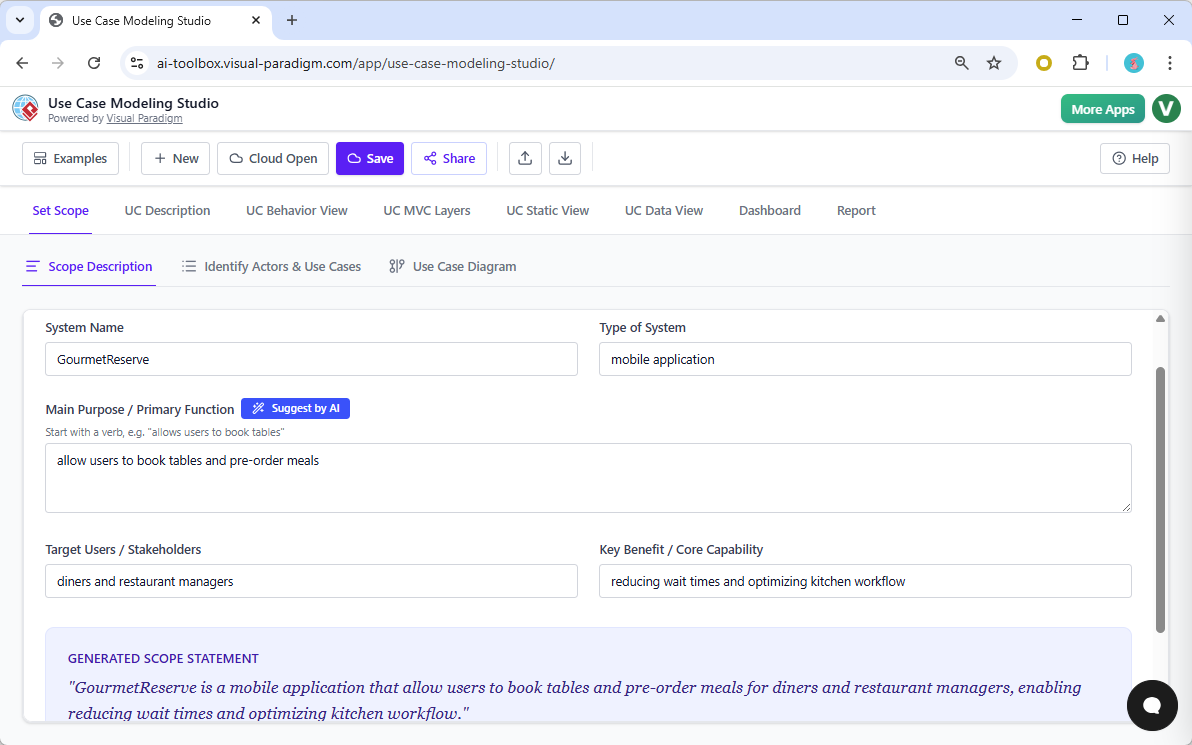
Imagine you are standing at the starting line of a massive software project, tasked with designing a sophisticated mobile application like GourmetReserve—a platform meant to handle complex diner bookings and meal pre-orders. Usually, this is where the headache starts, as you prepare for weeks of manual documentation and tedious diagramming that honestly feels like a relic from the past. But then you fire up the online AI-powered Use Case Modeling Studio by Visual Paradigm, and suddenly, the vibes change entirely because this tool is a total game-changer for anyone in the dev lifecycle. This isn’t just another basic best use case diagram maker; it is a full-throttle requirements powerhouse that leverages artificial intelligence to transform your high-level ideas into professional-grade technical specifications in seconds. If you have been struggling with legacy UML software that requires you to manually drag every single line and box, you are going to find that this professional software requirements software is absolutely lit, saving you from the “blank page syndrome” and ensuring your project scope is airtight from day one.
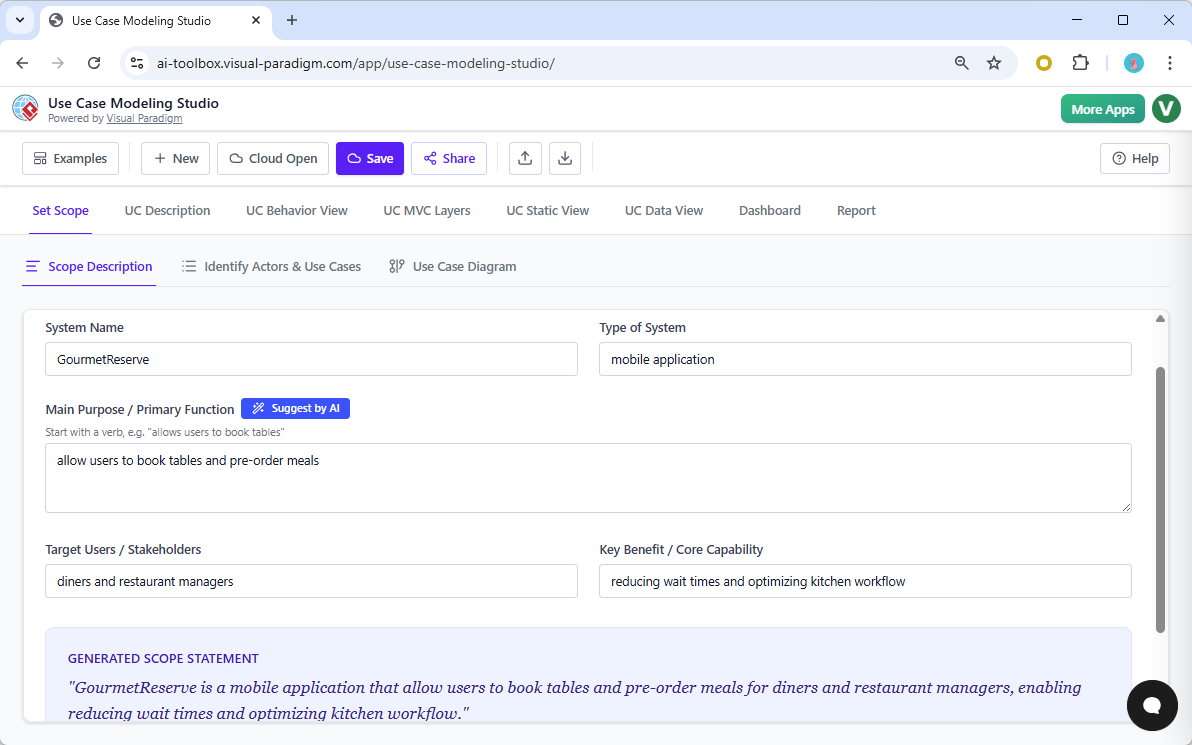
The journey begins in the Set Scope tab, where you define the soul of your application. In our GourmetReserve example, we simply describe the system’s purpose—allowing diners to book tables and pre-order meals—and the AI immediately steps in to refine the vision. It generates a polished scope statement that clearly outlines the system’s goals and target audience, ensuring every stakeholder is on the same page before a single line of code is ever written.
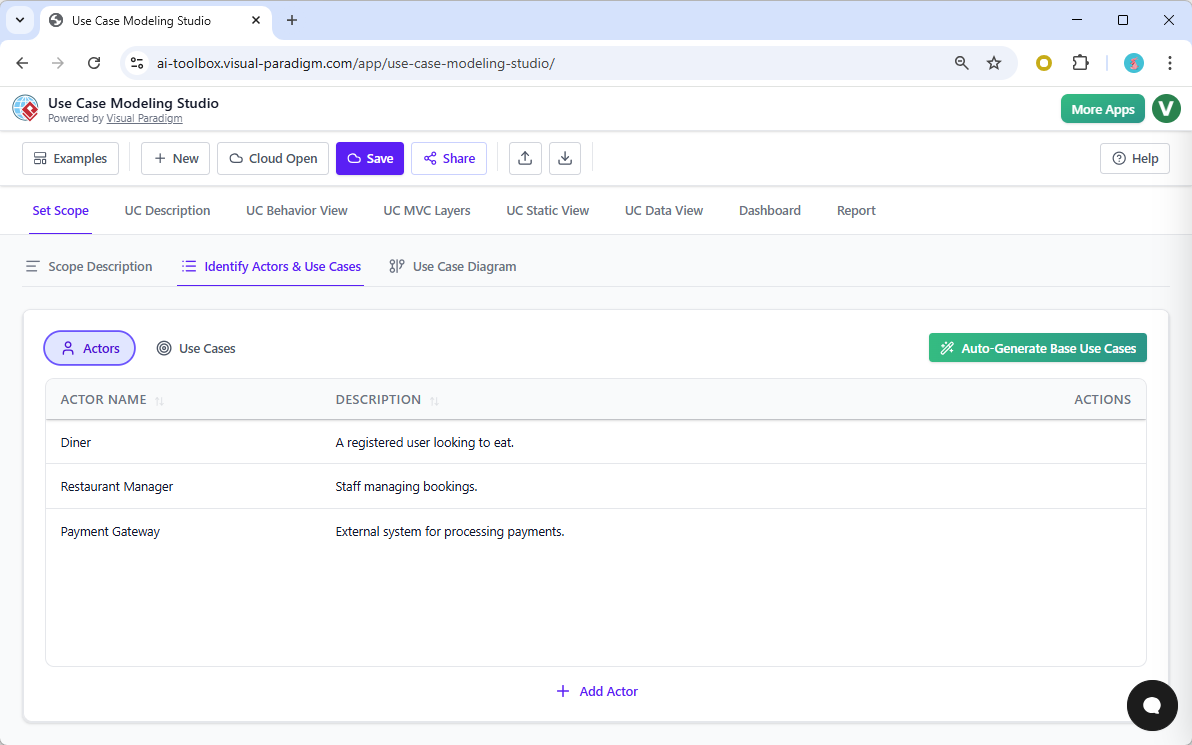
Once your scope is solidified, you need to know who is actually using this thing, and that is where the AI-powered Use Case Modeling Studio really starts to slay. Instead of brainstorming actors and use cases on a whiteboard for three hours, you just hit a button, and the AI derives the relevant roles—like the Diner, the Restaurant Manager, and even external systems like the Payment Gateway—straight from your scope description. It is a total no-brainer that keeps your requirements consistent and prevents you from missing those crucial edge-case actors that usually haunt you during the implementation phase.
Quick Summary: Why Visual Paradigm’s Studio Crushes the Competition
-
Zero Manual Labor: AI generates your actors, use cases, and descriptions so you don’t have to start from scratch.
-
Seamless Integration: One click moves you from a text description to a UML Activity Diagram or a Sequence Diagram.
-
Data Consistency: Change a relationship in the text, and the studio automatically updates your model architecture.
-
Full Lifecycle Support: It handles everything from the initial scope to MVC design, ERDs, and even the QA test plan.
-
Professional Reporting: Generate a full Software Design Document (SDD) that looks like it took weeks to write, but only took seconds.
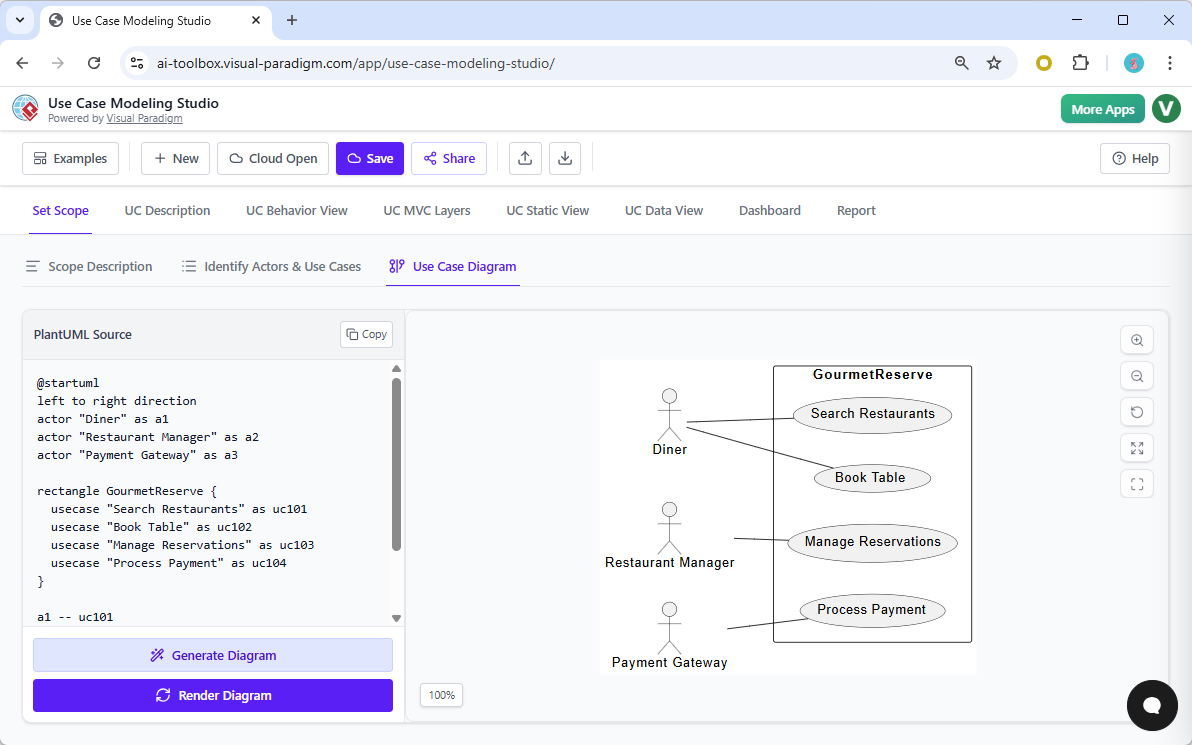
Visualization is where most tools fail because they make you do all the work, but this online use case modeling tool treats you like the architect you are. After the AI identifies your use cases, such as “Search Restaurants” or “Book Table,” you can hop over to the Use Case Diagram tab. With a single click on “Generate Diagram,” the system renders a clean, professional UML Use Case Diagram that maps out the interactions between your actors and the system boundary, giving you an immediate visual confirmation that your architecture is sound.
Now, a diagram is great, but a professional software requirements software needs depth, and that is where the UC Description tab comes into play. Most people dread writing use case specifications because they are boring and repetitive, but here, the AI acts as your ultimate co-pilot. You select a use case, and the AI generates a comprehensive, well-structured description including preconditions, postconditions, and the full flow of events. It even uses smart tags to detect <<include>> or <<extend>> relationships, automatically adding derived use cases to your project so your requirements model grows organically as you detail it.
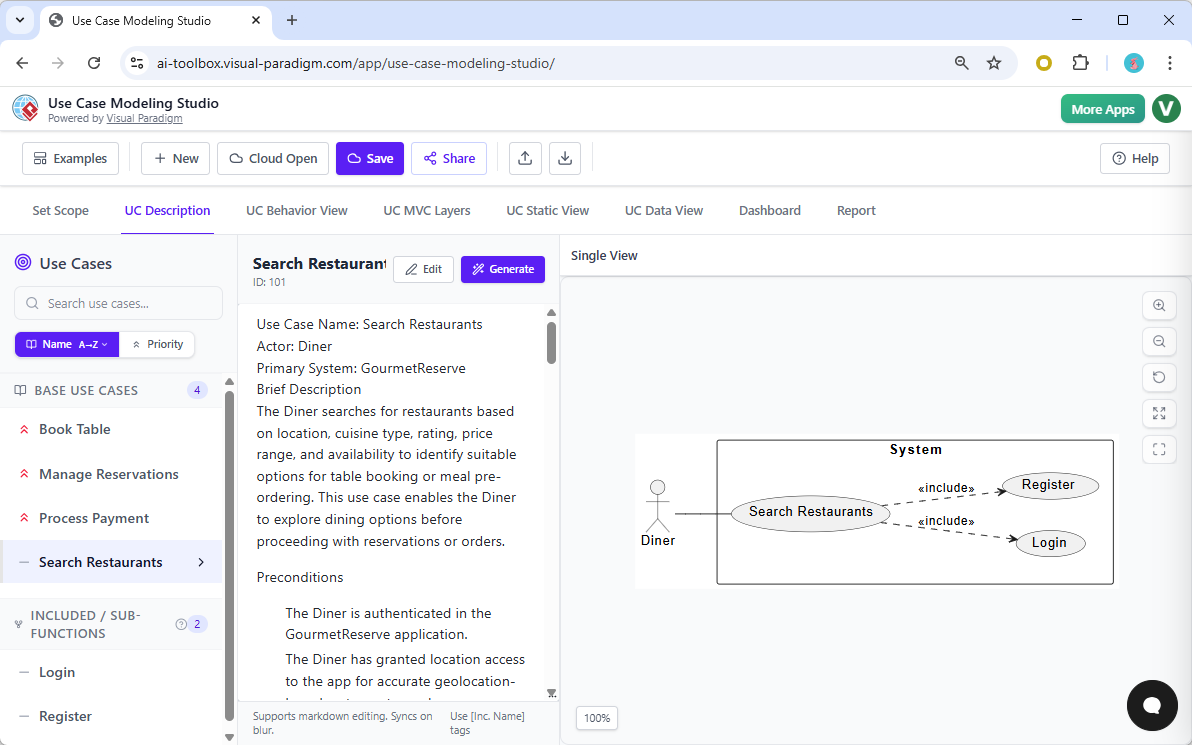
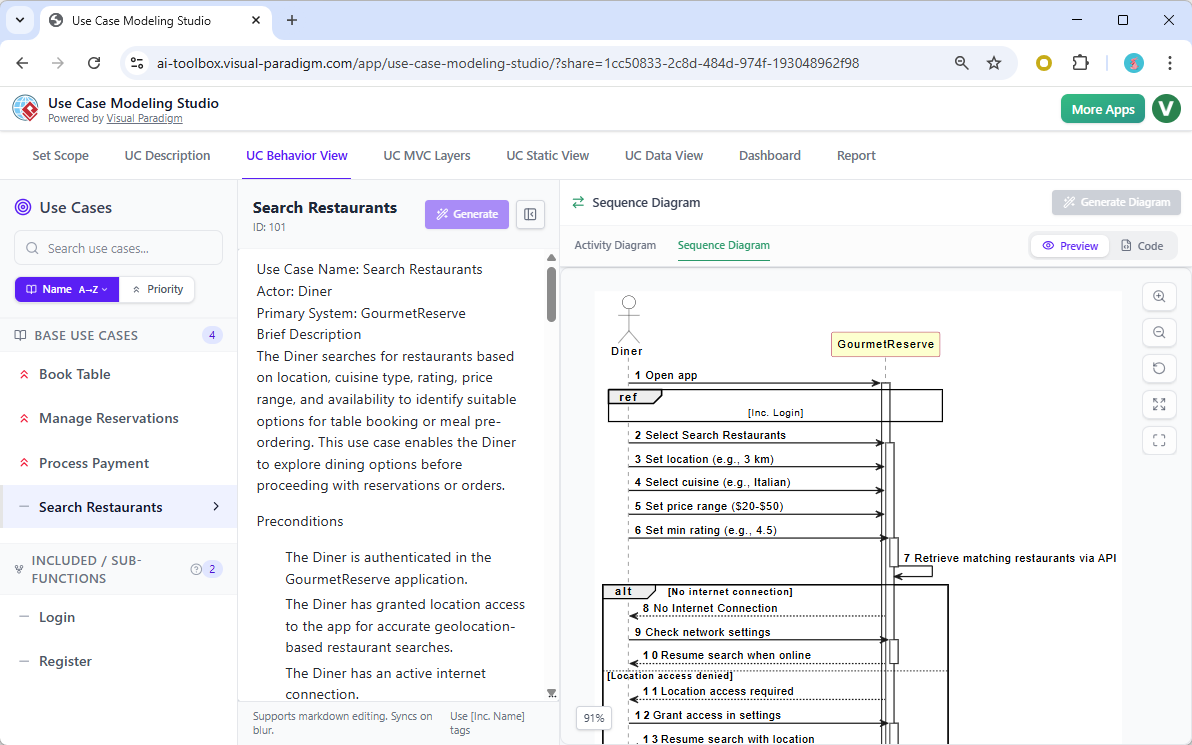
But how does the system actually behave? This is where other tools leave you hanging, forcing you to manually draw flowcharts that never quite match your text. The AI-powered Use Case Modeling Studio bridges this gap perfectly in the Behavior View. By analyzing the generated use case description, the AI instantly constructs a UML Activity Diagram. It maps out every decision point, like what happens if there’s no internet connection or if location access is denied, ensuring your logic is bulletproof before the devs even touch it.
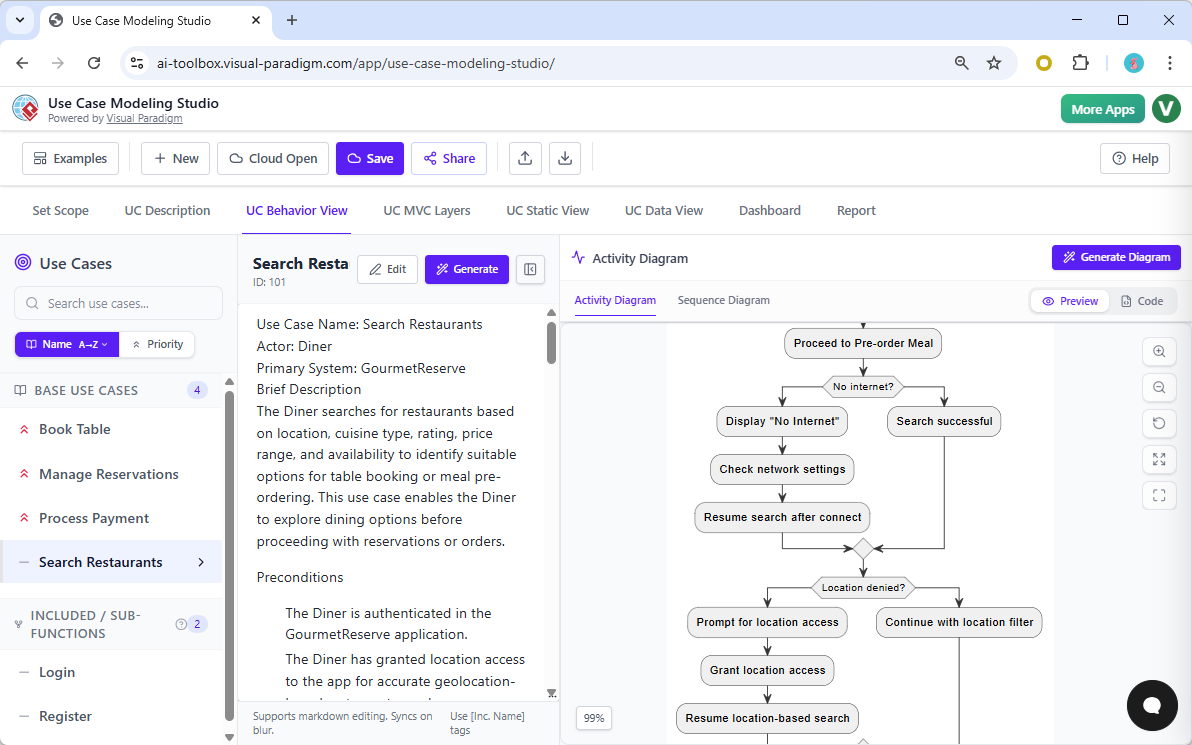
If you need to see the time-ordered interactions between the actor and the system, the studio has you covered with automatic sequence diagram generation. The AI interprets the flow of events from your description and renders a detailed Sequence Diagram, showing exactly how the Diner interacts with the GourmetReserve system to search for a table. This level of automation is clutch for maintaining a single source of truth between your documentation and your visual models.
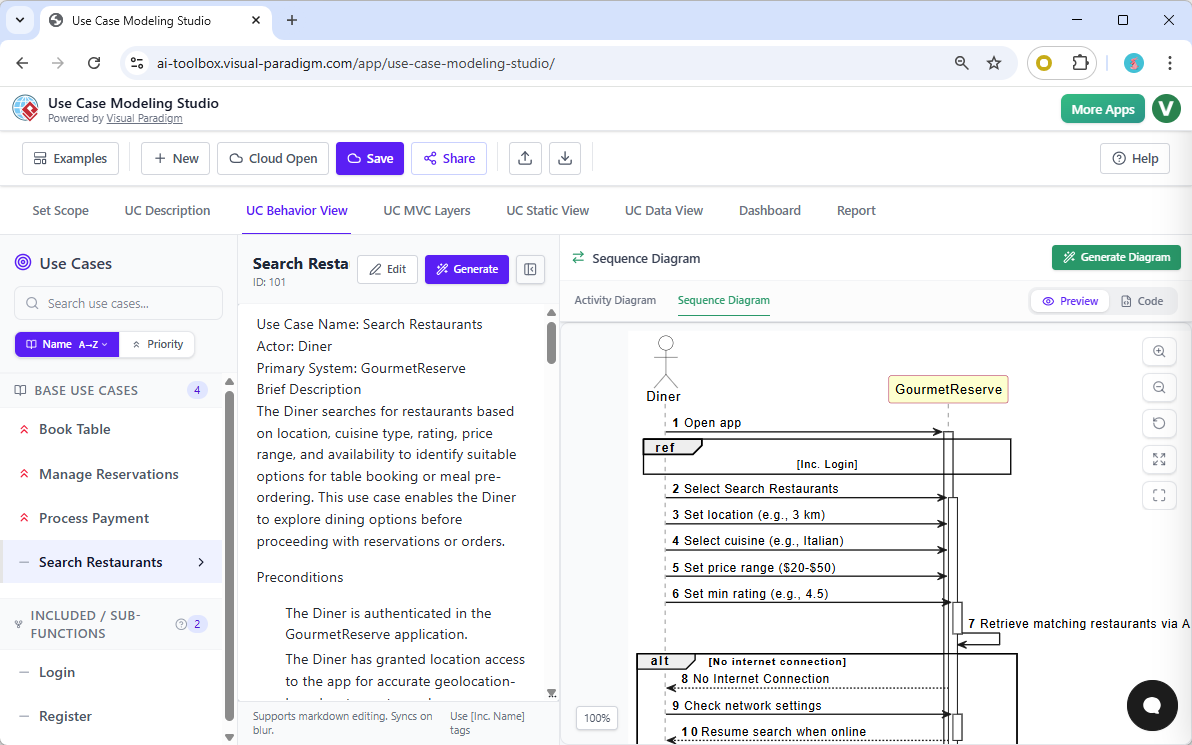
Moving from requirements to actual design is usually a massive friction point, but the MVC Layers tab makes it feel effortless. The AI scans your use case description and identifies the specific Model, View, and Controller objects needed to build the feature. For GourmetReserve, it might pull out “Restaurant” as a Model, “SearchScreen” as a View, and “SearchController” as the logic layer. This is high-level architectural thinking handled by an easy-to-use AI diagramming tool, allowing you to focus on the “what” while the AI handles the “how.”
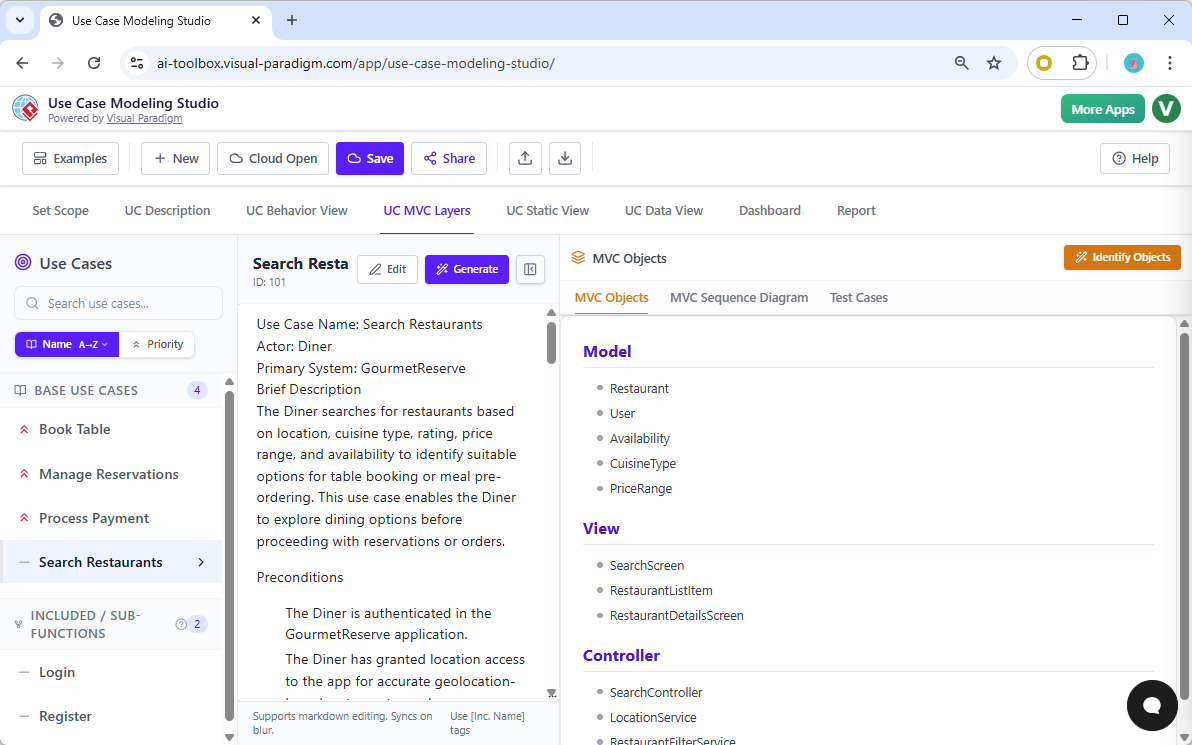
To really hammer home the design, you can generate an MVC Sequence Diagram. This isn’t just a high-level overview; it shows the internal collaboration of your objects. You can see the Diner opening the application, the SearchScreen initializing the search, and the SearchController validating the user’s credentials. It’s a sophisticated look at the guts of your app that most other UML tools would require hours of manual wire-drawing to achieve.
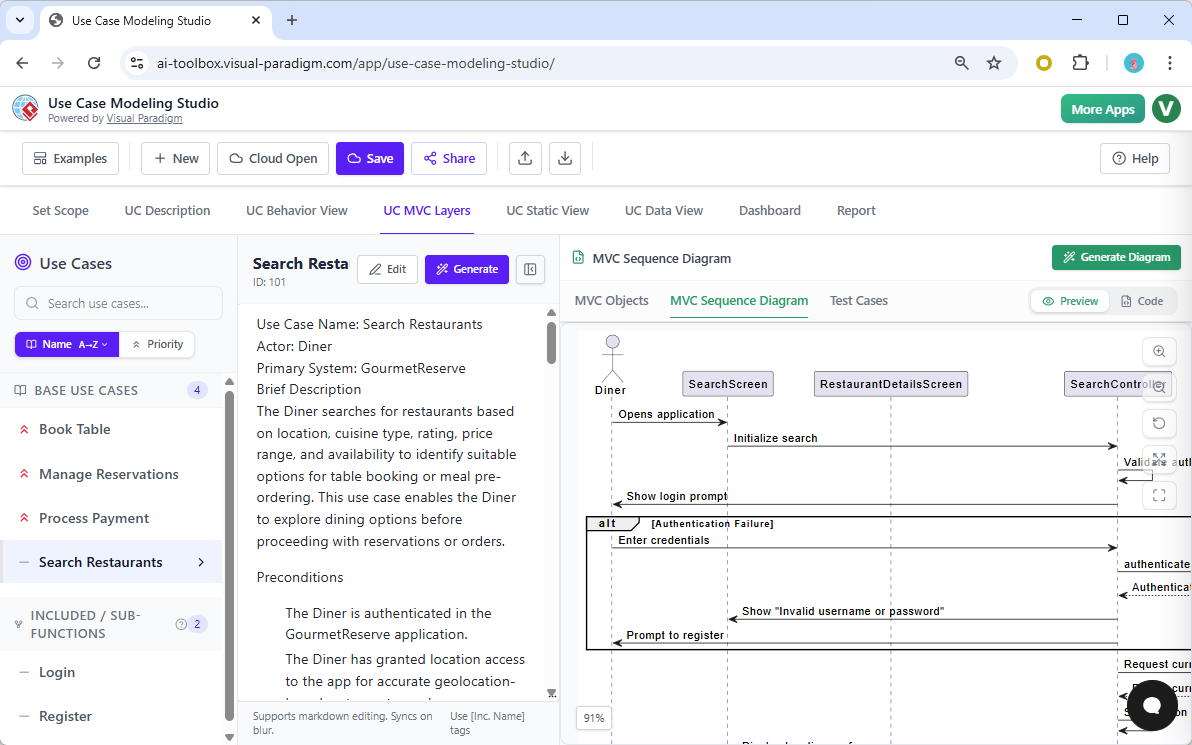
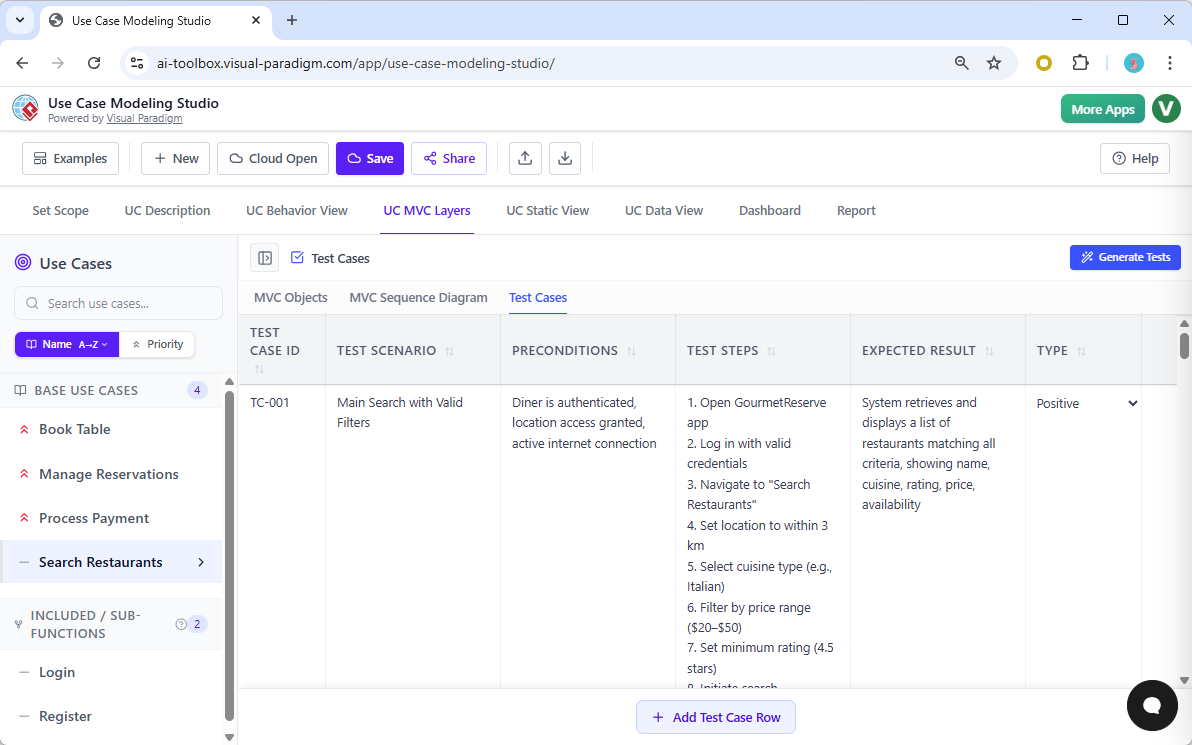
Quality Assurance is often treated as an afterthought, but in this best use case diagram maker, it’s integrated right into the design flow. Under the Test Cases sub-tab, the AI generates a full suite of test scenarios based on your use case description. It creates Test IDs, detailed steps, and expected results, even identifying whether a test is “Positive” or “Negative.” Having your QA plan generated automatically from your requirements ensures that what you build is actually what you tested, which is a total flex for project managers who care about quality.
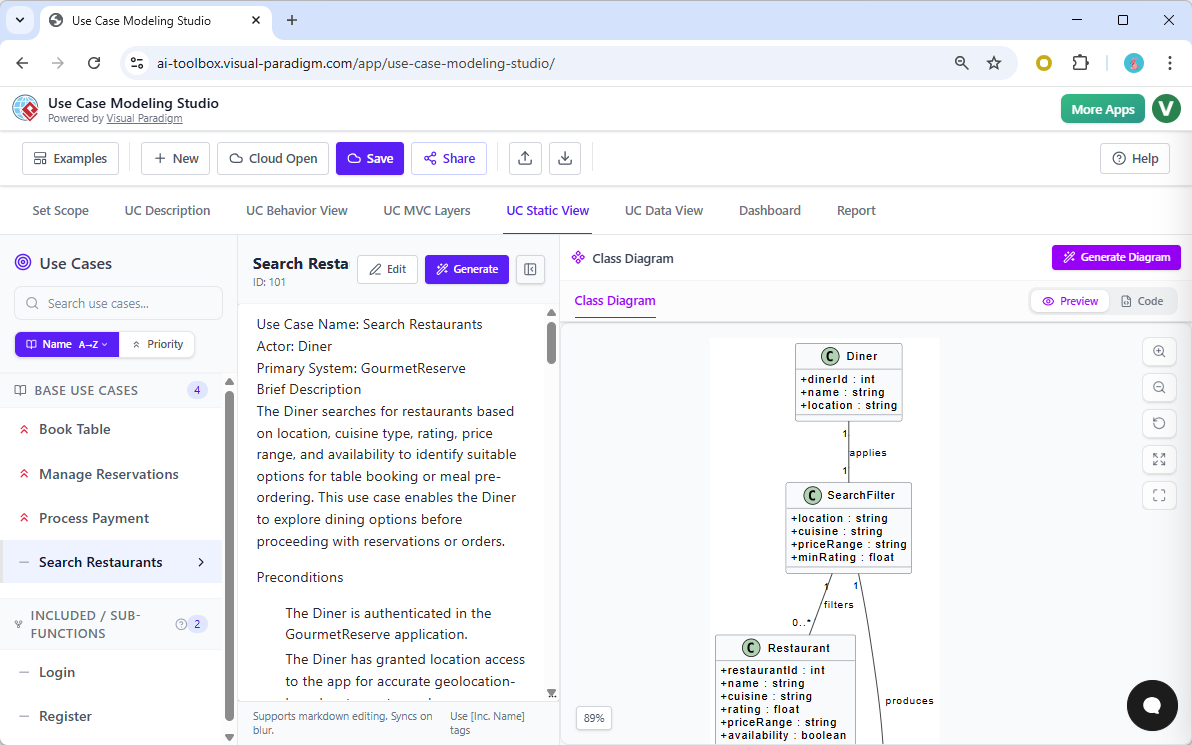
The studio doesn’t stop at behavior; it also handles the static structure of your system. In the UC Static View, you can generate a professional Class Diagram derived from the objects identified in your use case description. This gives your developers a clear blueprint of the data structures and relationships, such as how a “Diner” applies a “SearchFilter” to find a “Restaurant.” It’s a seamless transition from the “user’s story” to the “developer’s reality.”
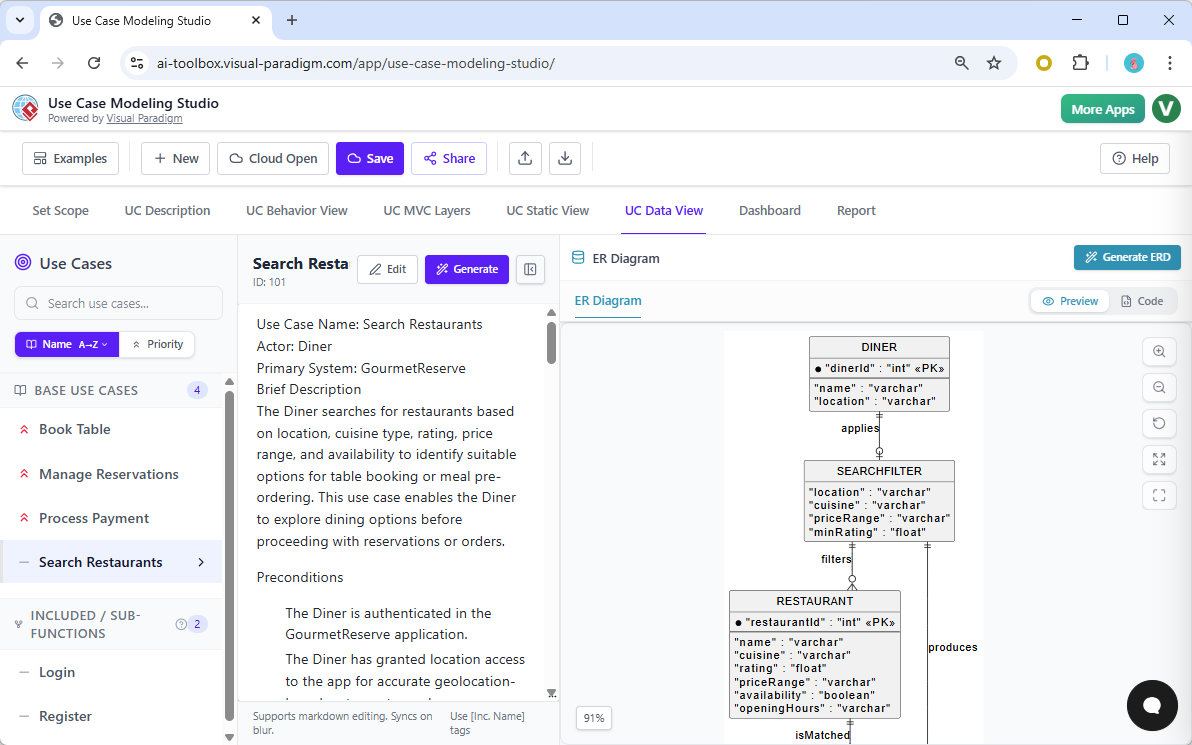
And if you’re worried about the database, the UC Data View is here to save your life. You can take that Class Diagram and instantly generate an Entity-Relationship Diagram (ERD). The AI maps out the primary keys, attributes, and foreign key relationships, giving you a production-ready data model that is perfectly aligned with your functional requirements. This level of vertical integration—from scope to database—is why this studio is miles ahead of any standalone diagramming app on the market.
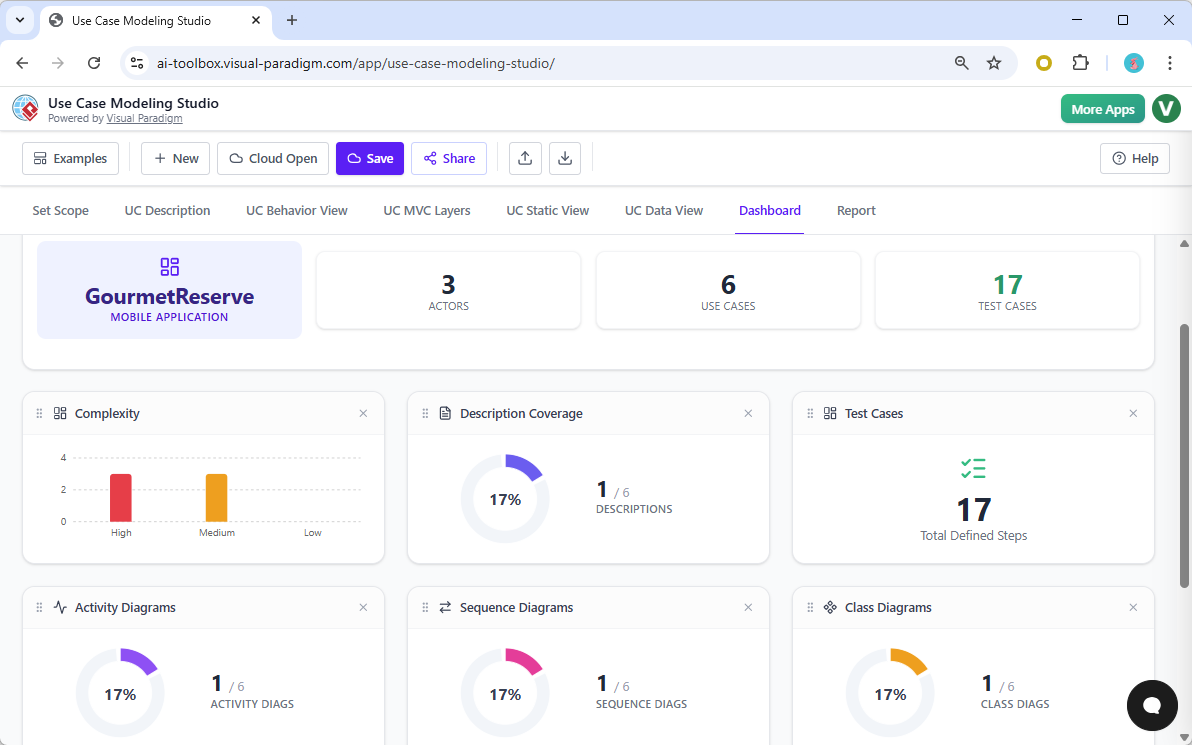
Keeping track of a large project can be a nightmare, but the built-in Dashboard gives you a high-level view of your project’s health and completeness. It shows you the complexity of your use cases, your description coverage, and how many diagrams you’ve actually generated. It’s like a fitness tracker for your software design, ensuring you don’t leave any requirements half-baked or diagrams unfinished.
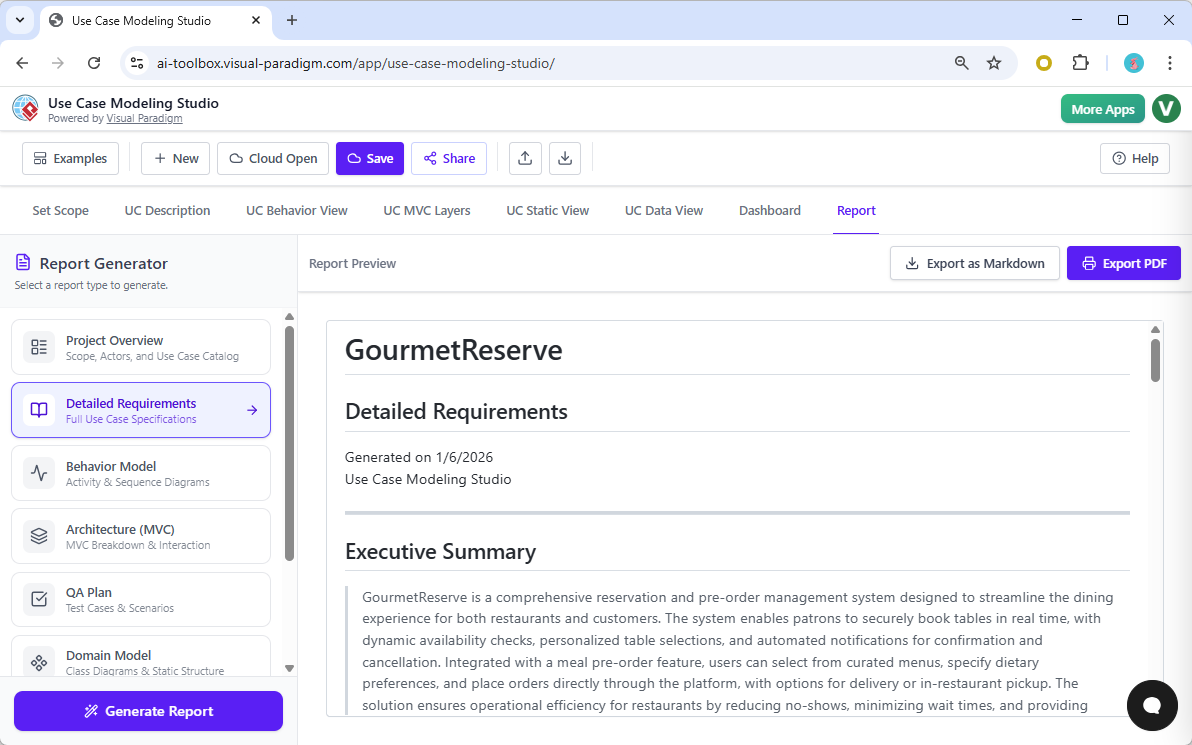
When it’s time to present your work to stakeholders or hand it off to the dev team, the Report tab is your best friend. You can generate everything from a quick Project Overview to a massive, multi-page Software Design Document (SDD). The AI drafts an executive summary and then compiles all your descriptions, diagrams, MVC breakdowns, and test cases into a single, professional PDF or Markdown file. It makes you look like a total pro who spent weeks on documentation, when in reality, the AI-powered Use Case Modeling Studio did most of the heavy lifting while you stayed focused on the big picture.
Finally, collaboration is a breeze because you can share your entire project via a unique URL. Whether you need a quick peer review or you want to show off your architecture to a client, the Share screen allows others to browse your project online in a read-only view. It’s modern, it’s fast, and it’s exactly what professional teams need to stay agile in a competitive market.
The verdict is clear: if you are still using tools that force you to draw every box and arrow manually, you are working too hard. Visual Paradigm has created a workspace that doesn’t just record your requirements—it understands them. By bridging the gap between text and visuals with the power of AI, this studio ensures your designs are consistent, your documentation is complete, and your development cycle is faster than ever before. It is time to level up your workflow and let the AI handle the tedious parts of system modeling.
Ready to revolutionize your design process? Stop wasting time on manual diagramming and start building smarter. Experience the future of requirements engineering today by visiting the Learn More page or jump straight into the action with the Try Now CTA. Your next big project deserves the best tools available—don’t settle for anything less than Visual Paradigm.
Related Links
Use case modeling is a fundamental technique in software engineering used to capture functional requirements by visualizing the interactions between external actors and a system’s internal functions. Modern platforms now integrate AI-powered automation to refine diagrams, generate detailed use case descriptions, and even convert models into test cases or activity diagrams to ensure design consistency and traceability.
-
What Is a Use Case Diagram? – A Complete Guide to UML Modeling: An in-depth overview covering essential components, purposes, and best practices for requirement analysis.
-
Step-by-Step Use Case Diagram Tutorial – From Beginner to Pro: A practical resource that walks users through foundational and advanced techniques for creating effective diagrams.
-
Mastering AI-Driven Use Case Diagrams with Visual Paradigm: A tutorial exploring the use of AI to develop intelligent, dynamic models for modern software systems.
-
All You Need to Know About Use Case Modeling: A comprehensive look at the principles and applications of use case modeling in system design.
-
Visual Paradigm – Use Case Description Features: Details on tools used to precisely document user interactions and structured system behavior.
-
Unraveling Scenarios with the Use Case Scenario Analyzer: A guide on using specialized analyzers to examine and refine interaction flows for increased clarity.
-
Guide to Using the Flow of Events Editor in Visual Paradigm: Step-by-step instructions for documenting structured event sequences within a use case.
-
Generating Scenarios and Test Cases from Use Case Diagrams Using AI: An exploration of how AI tools automate the creation of requirement-driven test procedures.
-
Convert Use Case to Activity Diagram – AI-Powered Transformation: A resource explaining the automated conversion of interactions into detailed system workflows.
-
Use Case Diagram Gallery – Templates & Examples: A curated collection of real-world use case diagrams for prototyping and design inspiration.