

Modeling software architecture is a delicate balance between clarity and complexity. When Unified Modeling Language (UML) diagrams become too detailed, they lose their primary function: communication. Over-engineering a model introduces noise that obscures the signal, leading to confusion rather than understanding. This guide explores how to maintain simplicity in your diagrams while preserving their utility for design and documentation.
Many teams fall into the trap of creating perfect models that never match the code. This disconnect arises from prioritizing completeness over usability. The goal is not to produce a visual artifact that looks impressive, but to create a living reference that aids development and reduces cognitive load.
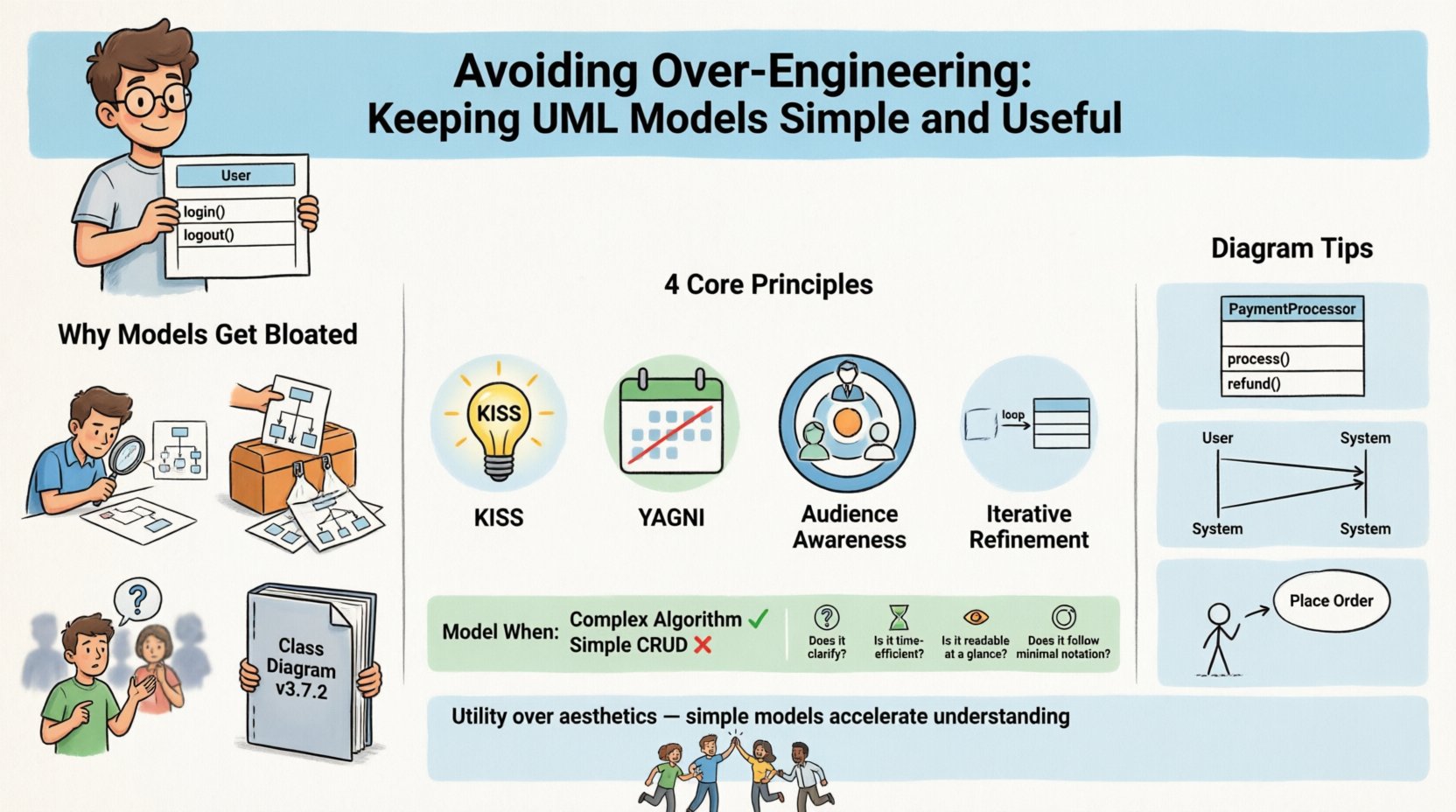
📉 Why Models Get Bloated: Understanding the Root Causes
Over-engineering in modeling often stems from specific behaviors and misconceptions within the development process. Recognizing these drivers is the first step toward creating leaner, more effective models.
- Perfectionism: The desire to capture every edge case and detail before writing code leads to paralysis. Designers often feel the need to prove they have thought of everything.
- Tool Capability: Modern modeling tools offer extensive features that tempt users to utilize them all. Just because a tool allows a specific notation does not mean it adds value.
- Lack of Context: Creating a model without knowing the specific audience results in generic, overly complex diagrams that try to serve everyone and no one.
- Fear of Ambiguity: Teams sometimes over-specify requirements to avoid future questions, resulting in rigid diagrams that cannot adapt to change.
When a diagram becomes too dense, it ceases to be a map and becomes a maze. Developers spend more time deciphering the notation than understanding the flow. This defeats the purpose of modeling entirely.
🛠 Core Principles of Lightweight Modeling
To keep models useful, you must adhere to principles that prioritize communication over documentation. These principles help filter out unnecessary details.
1. The KISS Approach
Keep It Simple, Stupid is a foundational rule. A model should be as simple as possible, but no simpler. If a diagram can be explained in a few minutes, it is likely effective. If it requires a lecture, it is too complex.
2. YAGNI for Diagrams
You Aren’t Gonna Need It applies to modeling as well. Do not add components, attributes, or relationships that are not strictly required for the current scope of discussion. Future features should be modeled when the need arises, not preemptively.
3. Audience Awareness
Identify who will read the model. A high-level architectural view for stakeholders differs significantly from a detailed class diagram for developers. Tailor the abstraction level to the viewer.
4. Iterative Refinement
Start with a sketch. Low-fidelity models are often more effective than high-fidelity ones because they focus on structure rather than syntax. Refine the model only as the design matures.
📊 Diagram-Specific Guidelines
Different types of UML diagrams serve different purposes. Over-engineering manifests differently depending on the diagram type. Below is a breakdown of how to keep common diagrams lean and effective.
Class Diagrams
Class diagrams are the most prone to bloat. It is tempting to list every attribute and method.
- Exclude Implementation Details: Do not include private methods or internal helper functions. Focus on the public interface.
- Limit Attributes: Show only critical data fields. Hide technical identifiers or temporary variables.
- Focus on Relationships: Associations, aggregations, and inheritances are more important than the data contained within the class.
- Group Logic: If a class becomes too large, it may be a sign to refactor the code, not add more detail to the diagram.
Sequence Diagrams
These diagrams map interactions over time. They can quickly become tangled with too many lifelines.
- Use Frames: Group related interactions using combined fragments (e.g., Loop, Option) rather than repeating messages.
- Abstract Interfaces: Represent external systems as black boxes rather than detailing their internal processing unless relevant.
- Focus on Critical Paths: Show the happy path first. Add alternative error flows only if they are critical to the system’s stability.
- Remove Noise: Omit heartbeat messages or standard protocol handshakes unless they indicate a timing issue.
Use Case Diagrams
These define system scope and actor interactions. They are often misunderstood or over-specified.
- One Use Case Per Goal: Each box should represent a single user goal. Avoid listing technical steps.
- Minimal Actors: Only include actors that interact directly with the system. Internal processes are not actors.
- High-Level Relationships: Use generalization for actor roles, but do not over-structure the hierarchy.
🤝 The Communication Factor
The primary metric for a successful model is communication efficiency. If a developer understands the design from the diagram, the model has succeeded. If they ask for clarification, the model has failed.
Complex models create a barrier to entry. New team members cannot onboard quickly if they must decipher intricate notation. Simple models act as a shared language that accelerates onboarding and reduces misinterpretation.
Collaboration Benefits
- Faster Reviews: Simple diagrams are easier to review. Stakeholders can focus on logic rather than syntax.
- Reduced Misunderstanding: Fewer details mean fewer points of potential confusion.
- Easier Updates: When requirements change, simple models are easier to update without breaking unrelated parts.
🔍 Decision Matrix: When to Model
Not every aspect of a system needs a diagram. Use the following matrix to decide if a model adds value.
| Scenario | Modeling Value | Recommendation |
|---|---|---|
| Complex Algorithm | High | Use Activity or State Diagrams |
| Simple CRUD Operation | Low | Code Comments Only |
| System Architecture | High | Use Component or Deployment Diagrams |
| Third-Party API Integration | Medium | Use Sequence Diagram for Critical Flow |
| Internal Helper Logic | Low | Do Not Model |
| Security Flow | High | Use Sequence Diagram with Focus |
Understanding when not to model is just as important as knowing when to create one. If the code is self-explanatory, documentation should not duplicate it.
🧹 Maintenance and Decay
Models decay over time. Code evolves, but diagrams often remain static. This drift creates technical debt in the documentation layer. To prevent this, treat models as code.
- Version Control: Store model files in the same repository as the source code.
- Review Process: Include model updates in the pull request review process.
- Automatic Updates: Where possible, generate diagrams from the code to ensure synchronization.
- Deprecation: If a diagram is no longer accurate, mark it as obsolete rather than maintaining a false representation.
📝 Practical Checklist for Simplicity
Before finalizing any model, run it through this checklist to ensure it remains lean and useful.
Pre-Validation Questions
- Does this diagram answer a specific question?
- Can I explain this diagram in under five minutes?
- Are all elements necessary for the current context?
- Is the notation standard and widely understood?
- Is there a simpler way to represent this relationship?
- Does this diagram add value beyond the code itself?
Visual Hygiene
- Alignment: Ensure elements are aligned for readability.
- Spacing: Use whitespace to group related concepts.
- Color: Use color sparingly to highlight critical paths, not for decoration.
- Labels: Keep text concise. Use abbreviations only if defined clearly.
🚀 Balancing Detail and Abstraction
Finding the right balance requires experience. Start with abstraction. Add detail only when a gap in understanding is identified. This iterative approach prevents the upfront cost of over-engineering.
Consider the lifecycle of the information. A high-level architecture diagram might be relevant for months. A detailed sequence diagram might only be relevant for a specific sprint. Match the lifespan of the model to the lifespan of the decision it supports.
🛑 Common Pitfalls to Avoid
Avoid these specific mistakes to keep your modeling efforts efficient.
- The All-or-Nothing Fallacy: Do not attempt to model the entire system at once. Focus on the current module or feature.
- Notation Overload: Avoid using every symbol available. Stick to the core set that conveys the message.
- Ignoring Constraints: Do not model constraints that are handled by the framework or platform automatically.
- Static Snapshots: Do not treat a diagram as a static picture. It should represent a dynamic understanding of the system.
📚 Summary of Best Practices
Effective modeling is about discipline. It requires the courage to leave things out. By focusing on the essential elements, you create models that are easier to read, easier to update, and easier to trust.
Remember that the code is the source of truth. The model is a guide. If they conflict, the code wins, but the model should be updated to reflect the reality. A model that does not change with the code is a liability.
Adopting a lightweight approach to UML ensures that your documentation remains a valuable asset rather than a burden. It shifts the focus from creating artifacts to facilitating understanding. In the long run, this saves time, reduces errors, and improves the overall quality of the software development lifecycle.
🧭 Final Thoughts on Model Utility
Utility is the only metric that matters. A diagram that sits in a wiki folder and is never opened has zero value. A sketch on a whiteboard that guides a team through a critical design decision has immense value.
Strive for utility over aesthetics. A messy diagram that works is better than a clean diagram that does not. Prioritize the needs of the team and the clarity of the information above the visual perfection of the artifact.