
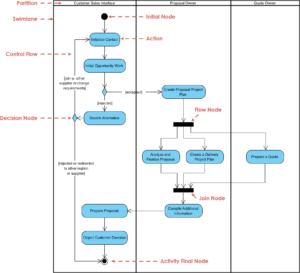
Software architecture has traditionally suffered from a reputation problem. It is often viewed as an abstract discipline reserved for senior architects, characterized by dense UML diagrams and technical jargon that alienates business stakeholders and junior developers. However, the industry is shifting. The adoption of the C4 Model combined with modern tooling like Visual Paradigm’s VPasCode is transforming architecture documentation from a static chore into a dynamic, living asset.
This tutorial explores a modern perspective on system architecture: treating diagrams as code, leveraging AI for rapid prototyping, and utilizing the C4 hierarchy to communicate effectively across Agile teams and Enterprise Architecture (EA) departments.
Why C4? Moving Beyond Traditional UML
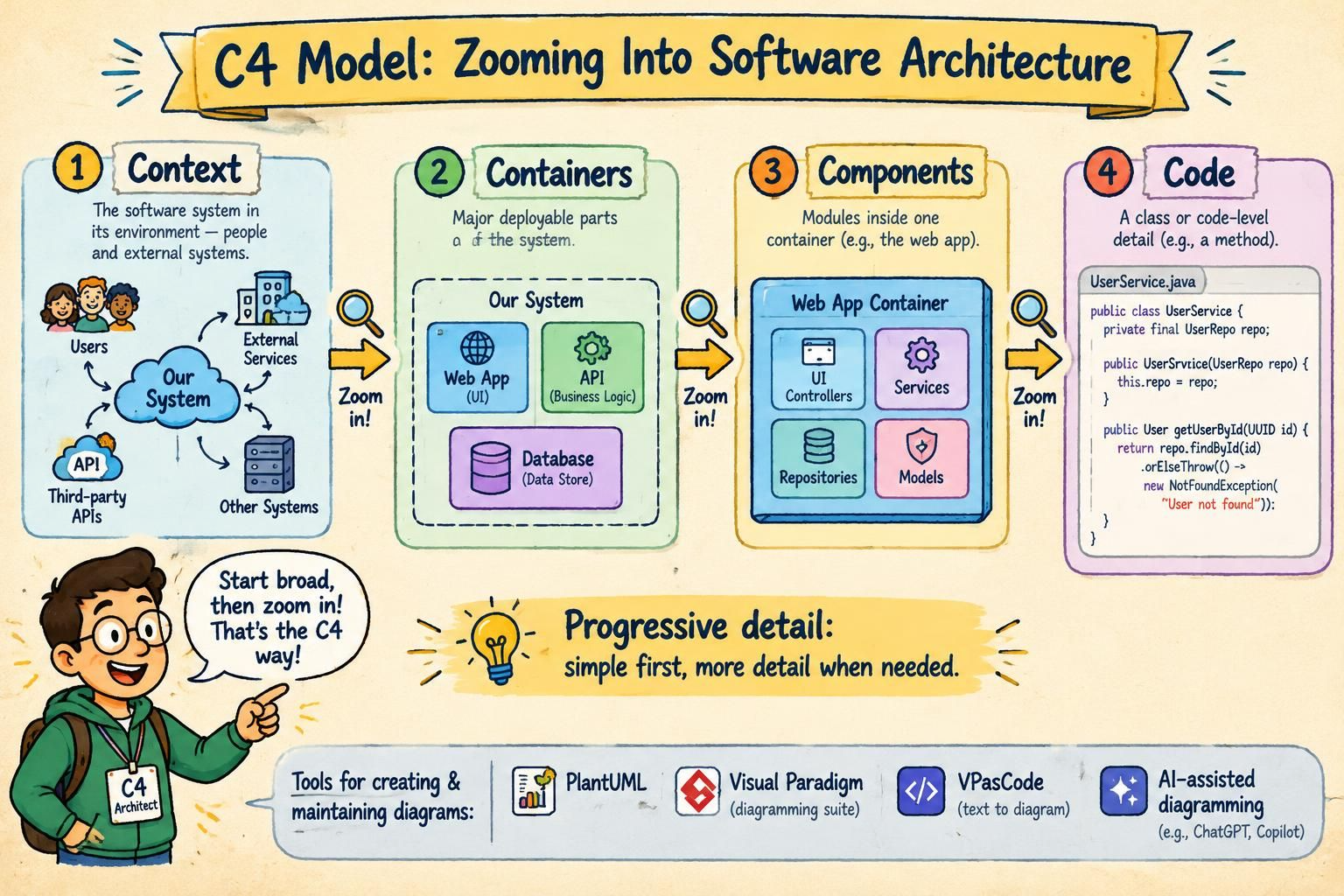
The C4 model, created by Simon Brown, challenges the complexity of traditional UML by introducing a hierarchical set of abstractions. Instead of overwhelming readers with every detail at once, C4 encourages a “progressive disclosure” of information.
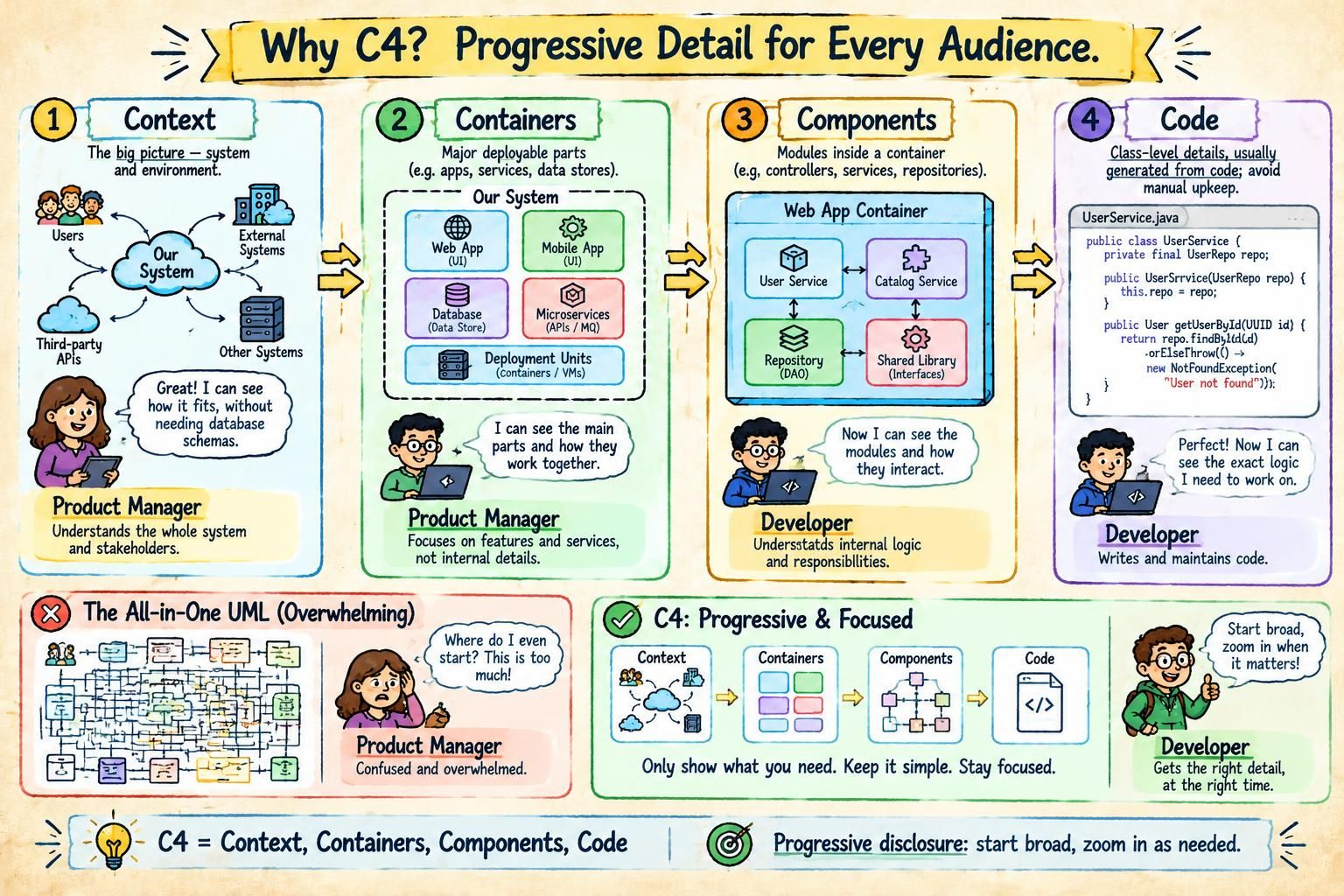 It stands for four levels of abstraction:
- Context: The software system in its environment.
- Containers: Major deployable parts of the system.
- Components: Modules inside a container.
- Code: A class or code-level detail.
For Agile teams, this is revolutionary. It allows a Product Manager to understand the Context diagram without caring about the specific database schema, while a developer can zoom into the Component diagram to understand internal logic.
The “Diagram as Code” Revolution with VPasCode
For decades, architectural diagrams were created using drag-and-drop interfaces. While intuitive, these tools often lead to “diagram sprawl” where the visual representation becomes disconnected from the codebase. The solution lies in Diagram-as-Code.
VPasCode (Visual Paradigm as Code) allows teams to define their architecture diagrams using plain text syntax. This approach offers several critical benefits:
- Version Control: Since the diagram is text, it can be stored in Git alongside your source code. This enables you to track changes to your architecture over time using standard diff tools.
- Automation: You can automatically regenerate diagrams when the codebase changes, ensuring your documentation is never out of date.
- Collaboration: Teams can review architecture changes via Pull Requests, just like code.
Integrating AI for Rapid Prototyping
Writing code by hand is time-consuming. The modern workflow involves leveraging AI to accelerate the creation of these diagrams. Using AI-assisted features, you can generate VPasCode syntax from natural language descriptions or existing documentation.
For example, you can prompt an AI assistant to “Generate a VPasCode Context Diagram for a Microservices E-commerce application with a React frontend and a Java backend,” and it will output the necessary syntax structure. This allows architects to focus on the design decisions rather than the typing.
Step-by-Step: Creating a Context Diagram with VPasCode
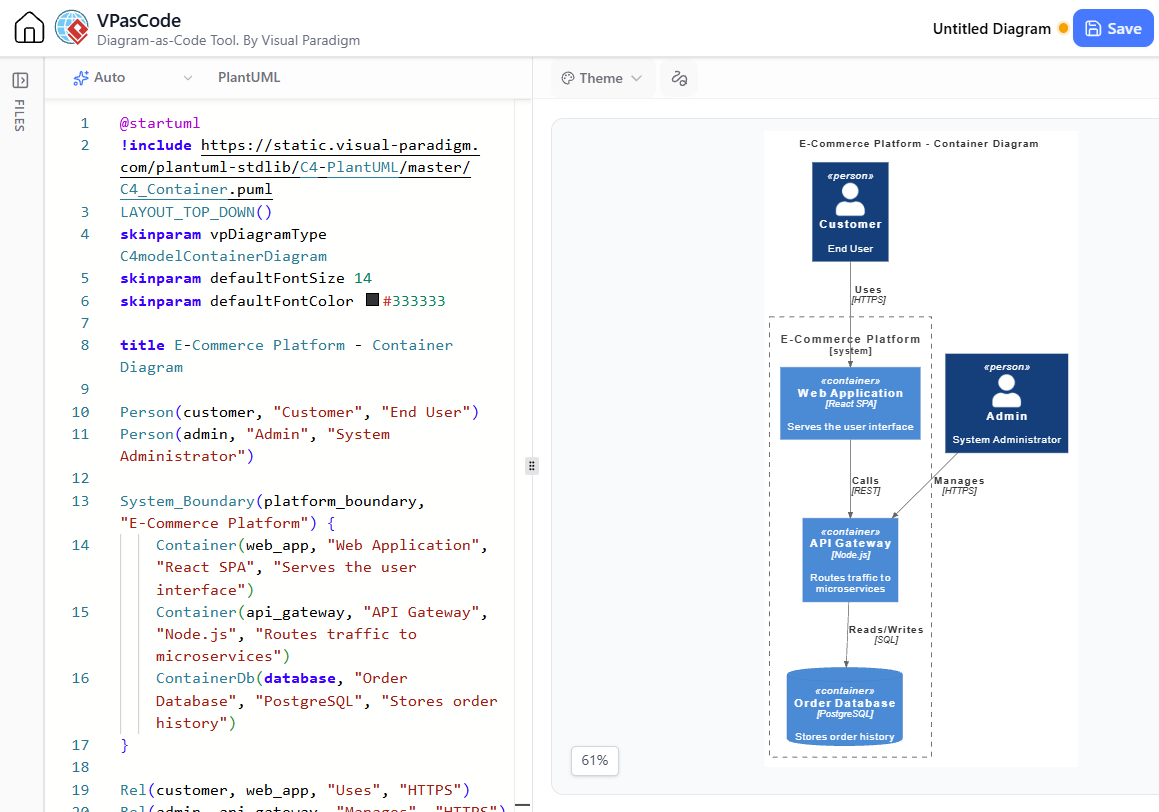
Let’s walk through how a modern team might approach creating a Context Diagram using the VPasCode syntax. Unlike a drag-and-drop tool, here we define the system and its relationships textually.
First, we define the System itself. In VPasCode, this is typically done by defining a container or a system block.
@startuml
!include https://static.visual-paradigm.com/plantuml-stdlib/C4-PlantUML/master/C4_Container.puml
LAYOUT_TOP_DOWN()
skinparam vpDiagramType C4modelContainerDiagram
skinparam defaultFontSize 14
skinparam defaultFontColor #333333

title E-Commerce Platform - Container Diagram

Person(customer, "Customer", "End User")
Person(admin, "Admin", "System Administrator")

System_Boundary(platform_boundary, "E-Commerce Platform") {
    Container(web_app, "Web Application", "React SPA", "Serves the user interface")
    Container(api_gateway, "API Gateway", "Node.js", "Routes traffic to microservices")
    ContainerDb(database, "Order Database", "PostgreSQL", "Stores order history")
}

Rel(customer, web_app, "Uses", "HTTPS")
Rel(admin, api_gateway, "Manages", "HTTPS")
Rel(web_app, api_gateway, "Calls", "REST")
Rel(api_gateway, database, "Reads/Writes", "SQL")
@endumlIn this snippet, you can see how the syntax explicitly defines the relationships between people and the system components. When rendered by the VPasCode engine or a PlantUML server, this text transforms into the visual diagram.
Scaling for Enterprise Architecture (EA)
While Agile teams love the speed and version control of VPasCode, Enterprise Architecture teams need something robust that can handle massive complexity. This is where the Visual Paradigm suite shines.
Visual Paradigm acts as the “single source of truth” engine. It supports C4 natively but adds powerful features for EA, such as:
- Bi-directional Synchronization: Changes in the code (e.g., adding a new class) can automatically update the diagram, and changes in the diagram can scaffold new code files.
- Repository Management: Large organizations can manage hundreds of diagrams across different projects in a centralized repository.
- AI-Assisted Diagramming: The platform integrates AI to help refactor complex diagrams, suggesting optimizations for connectivity and clarity.
By combining the C4 Model (for clarity), VPasCode (for versioning), and Visual Paradigm (for power and scale), teams can create a documentation strategy that scales with their system.
Conclusion
The era of static, unmanageable architecture diagrams is ending. By adopting the C4 Model and embracing tools like VPasCode and Visual Paradigm’s AI features, teams can ensure their architecture documentation is as agile, maintainable, and valuable as the software it describes.
Whether you are a Product Manager trying to understand the high-level flow, or a Developer debugging a complex integration, the C4 approach ensures the right information is available at the right time.