
In the modern software landscape, defining clear boundaries between a system and its environment is critical. Whether you are building a patient management portal or a complex enterprise resource planner, the first step is always understanding who interacts with the system and what the system is expected to do. This tutorial explores a comprehensive approach to modeling a Clinic Appointment System, utilizing the power of Visual Paradigm Desktop for structured design, the VPasCode tool for text-based diagramming, and AI-assisted features to accelerate the drafting process.
1. Defining Scope and Boundaries
Before drawing a single line, a successful project requires a clear project brief. In our scenario, the Clinic Appointment System is designed to allow patients and staff to coordinate appointments and receive status updates. The scope is carefully bounded:
- Inside the Boundary: The system is responsible for showing availability, booking slots, rescheduling, canceling appointments, and maintaining status.
- Outside the Boundary: External services, such as a Notification Service that sends messages, are excluded from the core system logic but are integral to the overall ecosystem.
Understanding this separation ensures that the development team focuses on the core logic without getting bogged down by external dependencies like email servers or SMS gateways.
2. Identifying Stakeholders and Actors
Modeling begins with identifying the Actors. In UML (Unified Modeling Language), an actor represents a role played by a human, a software system, or an external device. It is crucial to model roles rather than specific individuals.
For the Clinic Appointment System, we identify four primary actors:
- Patient: The primary user who finds, books, reschedules, or cancels appointments.
- Receptionist: A staff member who assists patients, books on their behalf, and manages records.
- Clinician: A doctor or specialist who views their specific schedule and appointment details.
- Notification Service: An external software component responsible for sending confirmations and reminders.
Pro Tip: When modeling, remember that an actor is a user of the system, not a part of the system. The Notification Service is an actor because it interacts with the system from the outside, even though it is software.
3. The Use Case Inventory
Once actors are defined, we map their goals to Use Cases. A use case is a specific goal-oriented interaction between an actor and the system. The names of these use cases should be high-level and outcome-focused, avoiding low-level UI actions like “Click Button.”
Our inventory includes:
- Find Available Appointments: Finding bookable slots.
- Book Appointment: Reserving a specific slot.
- Reschedule Appointment: Moving an existing appointment.
- Cancel Appointment: Cancelling an existing appointment.
- View Appointment Schedule: Reviewing appointments for a time period.
- Maintain Clinic Schedule: Adding or changing available slots.
- Send Appointment Notification: Delivering messages.
4. Structured Modeling with Visual Paradigm Desktop
Visual Paradigm Desktop serves as the formal workspace for the project. It allows for the creation of a structured UML model that acts as a single source of truth. Here, you would create a Use Case Diagram that visually represents the relationships between the actors and the use cases.
In the Desktop environment, you can:
- Define the system boundary clearly.
- Add actors and associate them with relevant use cases.
- Document detailed specifications, including preconditions, postconditions, and main success flows.
- Link use cases to requirements and test plans.
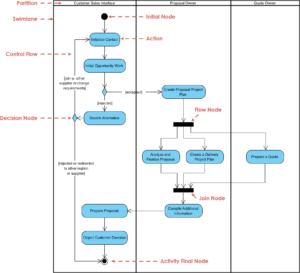
For complex flows, such as the booking process, you can create sub-diagrams or activity diagrams within the Desktop environment to visualize decision points and alternate paths.
5. Accelerating Workflows with AI
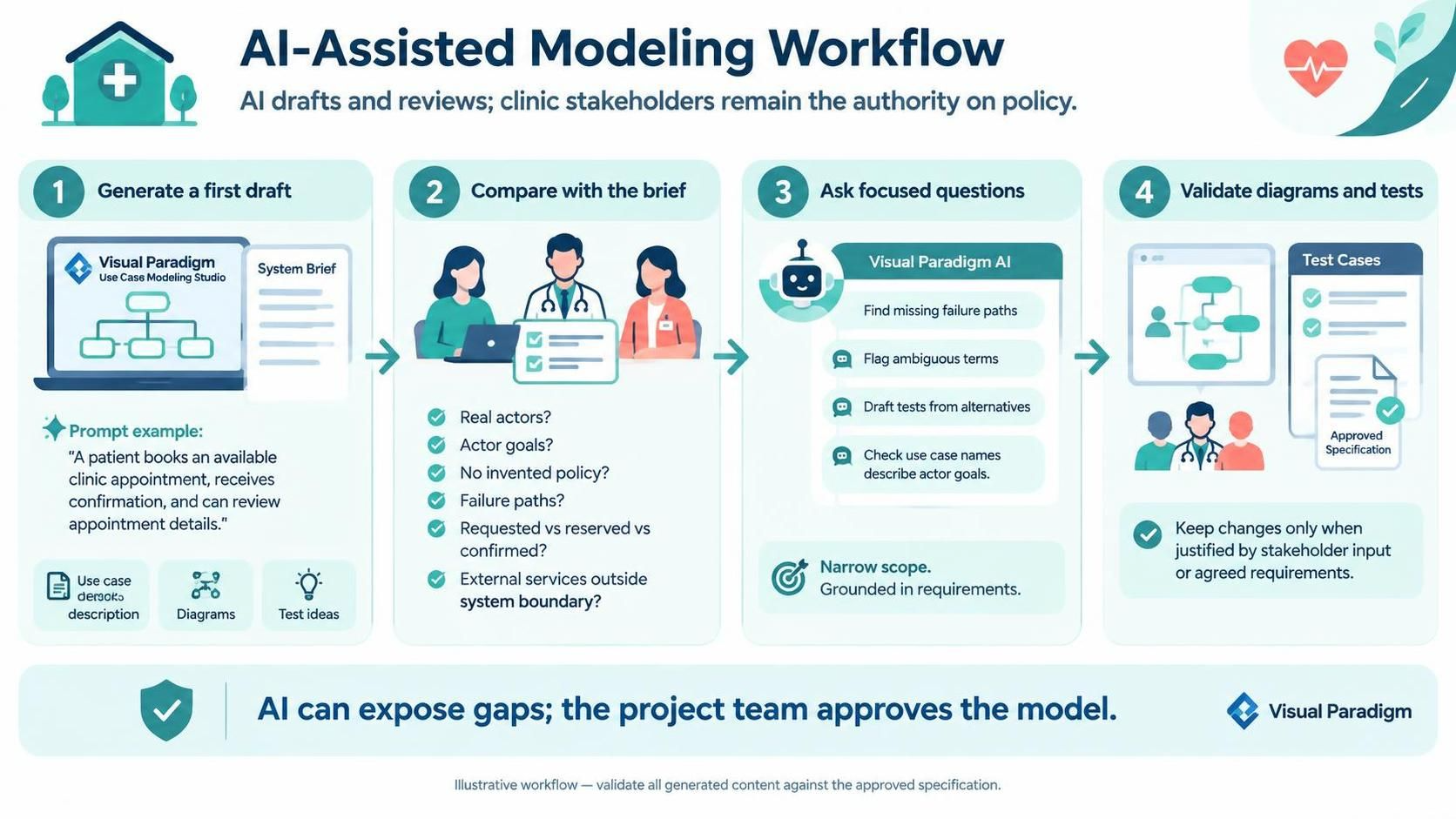
One of the most powerful features in modern modeling tools is the integration of Artificial Intelligence (AI). AI acts as a drafting assistant, not an authority on business policy. It helps teams move faster by generating initial drafts of use case descriptions, diagrams, and test ideas.
The AI-Assisted Workflow
- Generate a First Draft: Enter a high-level system goal (e.g., “A patient books an appointment”). The AI can generate a structured description with flows and even suggest a diagram.
- Compare with the Brief: Review the AI’s output against the actual project requirements. Check if the actors are correct and if the use cases align with business goals.
- Ask Focused Questions: Use AI to identify gaps. For example, ask, “List missing failure paths for booking an appointment” or “Draft test scenarios from the alternative flows.”
- Validate: Human experts must validate the generated content. AI can suggest edge cases, but the team must confirm the business rules.
6. Text-Based Diagramming with VPasCode
While Drag-and-Drop is intuitive, many developers prefer a “Diagrams as Code” approach. VPasCode allows you to define diagrams using text syntax, such as PlantUML. This approach is version-friendly, easy to review in text editors, and supports live rendering.
Using VPasCode, you can:
- Write the diagram definition in a text file.
- Use AI to modify the code (e.g., “Add a Clinician actor to the diagram”).
- Preview the rendered diagram instantly.
- Export the source code for version control systems like Git.
This workflow is particularly useful for teams that want to treat their diagrams as code, allowing for collaborative review and automated testing of diagram syntax.
7. Publishing with OpenDocs
Once the model is validated, it needs to be communicated. OpenDocs serves as the publication and knowledge-sharing layer. It transforms the technical model into a readable project narrative.
A typical OpenDocs page structure includes:
- Overview: System purpose and status.
- Scope and Boundary: What is included and excluded.
- Actors and Use Cases: The inventory of roles and goals.
- Specifications: Detailed flows and business rules.
- Diagrams: The approved visuals.
By using the OpenDocs Pipeline, you can send your VPasCode diagram directly to the publication engine. This ensures that the diagram in the documentation is always up-to-date with the latest model changes.
8. Conclusion
Building a robust system like a Clinic Appointment System requires a blend of structured modeling, efficient workflows, and clear communication. By leveraging Visual Paradigm Desktop for the formal model, VPasCode for text-based flexibility, and AI for drafting acceleration, teams can deliver high-quality specifications that are both technically sound and easy to understand.
Remember, the key to success is human validation. AI provides the drafts, but the project team provides the context. When these elements work together, the result is a system that truly meets the needs of its users.